











- Description
- Minimum Requirements
- Specifications
- Additional information
- Reviews
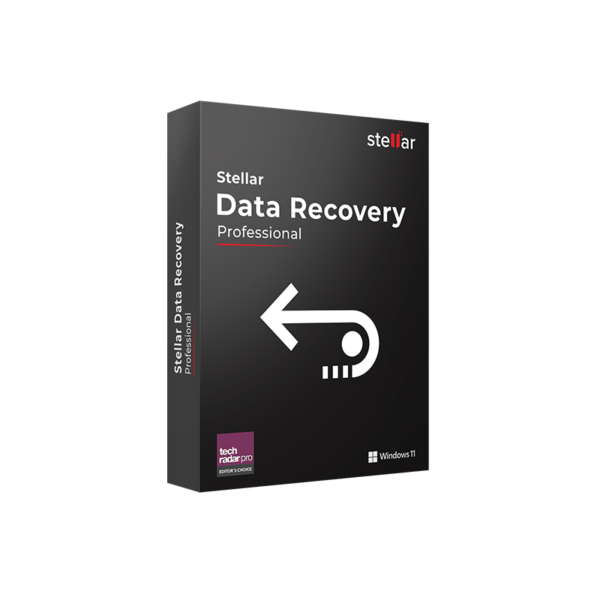
Stellar Data Recovery Professional is advanced recovery software for Windows and Mac users who need to restore lost, deleted, or inaccessible files with confidence. It is delivered instantly by email, so you can start recovering important data quickly.
Choose the lifetime option for lifetime usage with no subscription, or select the 1-year option if you prefer flexible coverage for one device.
Overview of Stellar Data Recovery Professional
- Platform: Windows, Mac
- Edition: Professional
- Devices: 1 Device
- License Duration: 1 Year / Lifetime
- Activation Method: Online activation
- Delivery: Instant digital delivery via email
- Support: Email and remote assistance
- Language Support: Multi-language
- Compliance: Genuine software licenses sourced through compliant distribution channels in line with EU laws (EU Directive 2009/24/EC) and industry standards.
Key Features
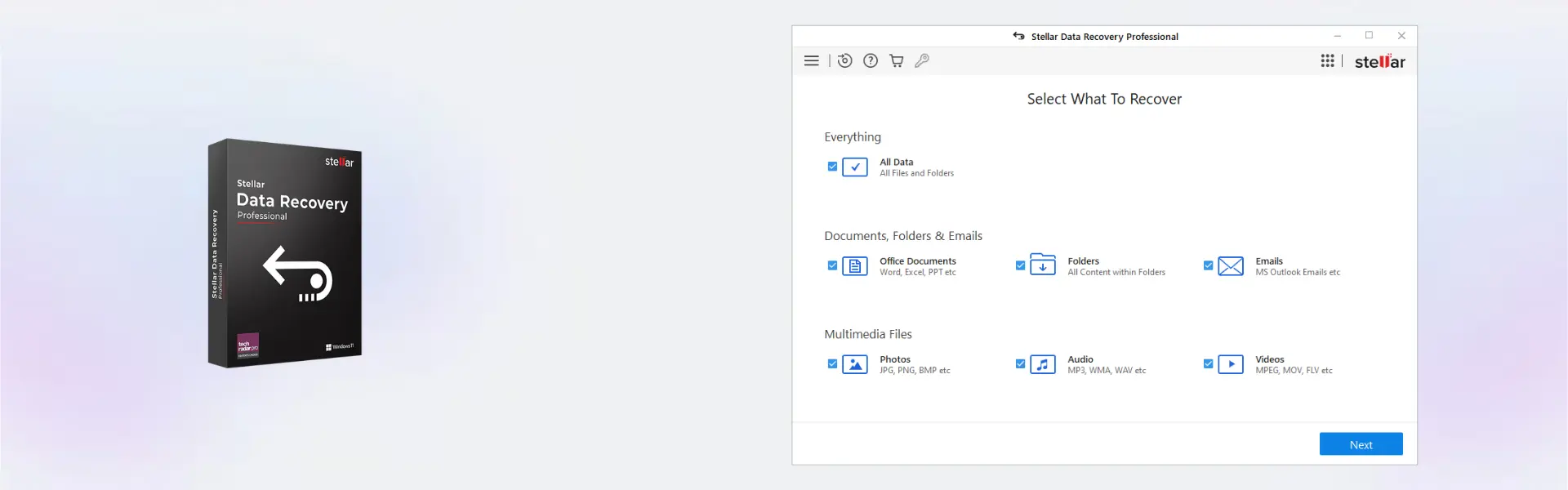
- Recover deleted files: Restore documents, photos, videos, audio files, and other important data that was accidentally deleted.
- Advanced drive recovery: Scan hard drives, SSDs, USB drives, memory cards, and other storage media to recover lost data from different situations.
- Formatted drive support: Recover files from formatted partitions, helping you reduce data loss after accidental formatting.
- Lost partition recovery: Detect missing or inaccessible partitions and recover valuable data from drives that no longer appear correctly.
- Deep scan technology: Perform a more detailed scan when quick recovery is not enough, improving the chance of finding hidden or severely lost files.
- Preview before recovery: Check recoverable files before restoring them, so you can select only the data you actually need.
- Windows and Mac support: Use a professional recovery solution on your preferred platform with a clean and practical workflow.
Main Features Explained
File Recovery for Everyday Data Loss
Stellar Data Recovery Professional helps restore files lost through accidental deletion, system crashes, formatting, or storage errors. This matters because important business documents, client files, photos, and project folders can often be recovered before permanent loss occurs.
Deep Scan for Difficult Recovery Cases
The deep scan function searches storage media more thoroughly when a standard scan cannot locate the missing files. It is especially useful for formatted drives, damaged file structures, and older deleted data.
Partition Recovery
When a partition becomes lost, deleted, or unreadable, the software can search for recoverable data inside it. This is important for users who cannot access a drive after partition errors, system changes, or disk management issues.
Preview and Selective Restore
The preview option lets you inspect recoverable files before restoring them. This saves time, avoids unnecessary recovery, and helps you focus on the files that matter most.
Support for Multiple Storage Devices
The software works with common storage devices such as internal drives, external drives, USB drives, and memory cards. Therefore, it is suitable for home users, professionals, technicians, and small businesses handling different recovery needs.
Why Choose Stellar Data Recovery Professional?
Stellar Data Recovery Professional is designed for users who need a reliable recovery tool for serious data loss situations. It is ideal for freelancers, office users, IT technicians, photographers, students, and businesses that need to restore files from Windows or Mac devices.
This edition offers more advanced recovery capabilities than basic recovery tools. It helps recover files from deleted, formatted, corrupted, or inaccessible storage media, making it a strong choice for real-world emergencies.
If you are comparing data protection and restore solutions, you can also browse our backup and data recovery software category for related tools. For users who need a different Stellar edition, Stellar Data Recovery Premium may be a better option when additional repair-focused features are required.
Stellar Data Recovery Professional vs Alternatives
Stellar Data Recovery Professional is positioned between basic recovery editions and more advanced premium recovery solutions. It is a strong choice for users who need professional file, drive, and partition recovery without moving to a higher edition.
- Compared with Standard editions: Professional is better suited for more demanding recovery cases, including formatted drives and lost partitions.
- Compared with Premium: Premium may include extra repair-oriented tools, while Professional focuses on powerful recovery for common and advanced data loss situations.
- For platform-specific needs: Windows users can also consider Stellar Data Recovery Standard for Windows, while Mac users can review Stellar Data Recovery Standard for Mac.
System Compatibility
Stellar Data Recovery Professional is compatible with Windows and Mac systems. Before installation, make sure your operating system is supported by the current Stellar version, your device has enough free space, and the storage drive you want to scan is properly connected.
For best results, avoid installing the software on the same drive from which you want to recover files. This helps reduce the risk of overwriting recoverable data.
License Type Explanation
This product is supplied for 1 device and supports either 1-year usage or a lifetime option, depending on the selected variation. The lifetime option is a one-time purchase designed for long-term use without recurring subscription payments.
Activation is completed online. Transferability depends on the activation and device rules set by the software publisher for this product. Once activated, the software is intended for use on the activated device according to the selected duration and publisher terms.
Installation and Activation
- Complete your order and check your email for the instant digital delivery details.
- Download the official installation file for Windows or Mac as instructed.
- Install the software on the device you want to use for recovery.
- Open the program and choose the activation option.
- Enter the provided activation details and complete online activation.
- Start scanning your selected drive or storage device for recoverable files.
Why Buy From Us
Digital License provides a secure and professional purchasing experience for software users who want fast delivery, clear activation guidance, and dependable support.
- Genuine licenses: Products are sourced through compliant distribution channels.
- Instant delivery: Receive your digital product details by email shortly after purchase.
- Secure payment: Shop with confidence through protected checkout options.
- Helpful support: Email and remote assistance are available when you need help.
- Legal compliance: Distribution follows EU laws, including EU Directive 2009/24/EC, and industry standards.
Trust Section
When you buy from Digital License, you receive genuine software access, clear activation instructions, and support from a team experienced in digital software delivery. Our goal is to make your purchase simple, secure, and reliable from checkout to activation.
FAQ
Is Stellar Data Recovery Professional delivered instantly?
Yes. Your digital delivery details are sent by email after purchase, so you can start the installation and activation process quickly.
How do I activate Stellar Data Recovery Professional?
Activation is completed online using the details provided after purchase. Follow the included instructions to activate the software on your device.
Is Stellar Data Recovery Professional compatible with Windows and Mac?
Yes. This product supports Windows and Mac. Always check that your operating system meets the current software requirements before installation.
Can I use Stellar Data Recovery Professional on more than one device?
No. This product is intended for 1 device only, according to the product specifications.
Does the lifetime option require a subscription?
No. The lifetime option is designed for long-term use without recurring subscription payments after activation.
Can I transfer the activation to another computer?
Transferability depends on the activation rules and device policy set by the software publisher. This product is supplied for 1 device.
Is this product legal to buy in the EU?
Yes. Digital License supplies genuine software licenses sourced through compliant distribution channels in line with EU laws, including EU Directive 2009/24/EC, and industry standards.
What should I do before recovering files?
Stop saving new data to the affected drive and install the software on a different drive when possible. This helps reduce the chance of overwriting recoverable files.
Do you provide support if I need help?
Yes. Email and remote assistance are available to help with installation, activation, and basic guidance.
| Component | Requirement |
| Processor | Intel-compatible x64 processor |
| RAM | 4 GB minimum (8 GB recommended) |
| Storage | 250 MB free disk space for installation |
| Operating System | Windows 11 / 10 / 8.1 |
| File System Support | NTFS, FAT32, exFAT |
| Display | Minimum screen resolution of 1024 × 768 |
| Specification | Detail |
|---|---|
| Activation | 1 Windows PC or 1 Mac Device |
| License validity | 1 Year / Lifetime |
| Edition | Professional |
| Features | Recover deleted files, formatted drive recovery, lost partition recovery, photo recovery, video recovery, document recovery |
| Supported devices | HDD, SSD, USB flash drives, SD cards, external hard drives |
| Supported file systems | NTFS, FAT, FAT32, exFAT, HFS+, APFS |
| Delivery method | By email within 15 minutes |
| Languages | Multilingual |
Additional information
| Operating systems | Windows, Mac |
|---|---|
| Subscription period | 1 Year, Lifetime |

1 – Buy
Shop securely with SSL encryption.

2 – Receive
You will receive the license key and download link.

3 – Download
Download and install the software.

4 – Activate
Enter the license key to the software.
Ashampoo 3D CAD Professional 11