Microsoft Project Licenses – Professional Project Management Software
Microsoft Project is a powerful project management application designed to help professionals plan, execute, and monitor projects with precision. Widely used across industries such as construction, IT, engineering, consulting, and business operations, Microsoft Project provides advanced tools for scheduling, resource allocation, budgeting, and progress tracking.
This category brings together a complete range of Microsoft Project Licenses, making it easy to select the version that aligns with your project complexity, operating system, and long-term requirements. Whether you manage small internal projects or large multi-phase initiatives, Microsoft Project offers the structure and visibility needed to deliver results on time and within budget.
Available Microsoft Project Versions
Microsoft Project has evolved significantly over the years, with each version introducing improved usability, performance, and management features. Below are the main versions available in this category.
Microsoft Project 2024
Microsoft Project 2024 Licenses are designed for modern project environments that require enhanced performance, updated interfaces, and long-term support. This version is ideal for organizations looking for a future-ready project management solution.
Microsoft Project 2021
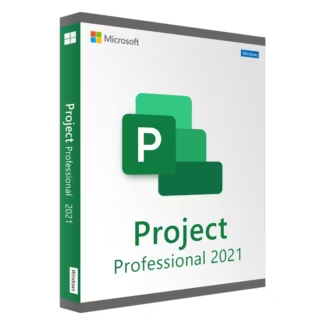
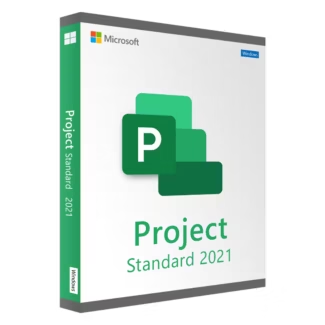
Microsoft Project 2021 Licenses provide a balanced mix of modern features and proven stability. It is a popular choice for businesses that want reliable project management tools without moving to the very latest release.
Microsoft Project 2019
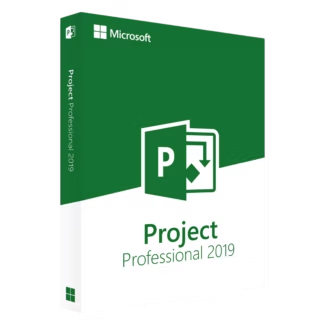
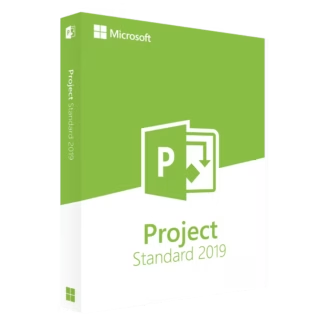
Microsoft Project 2019 Licenses remain widely used in professional environments thanks to their robust feature set and compatibility with established workflows.
Earlier Microsoft Project Versions
For organizations maintaining legacy systems or specific compatibility requirements, older versions are still available. Options include Microsoft Project 2016 Licenses, Microsoft Project 2013 Licenses, and Microsoft Project 2010 Licenses. These versions are suitable for continuity in long-term projects or older infrastructures.
Key Features of Microsoft Project
Microsoft Project provides a comprehensive set of tools designed to support effective project management from start to finish.
- Advanced task scheduling and timeline management
- Resource allocation and workload optimization
- Budget planning and cost tracking
- Progress monitoring and reporting
- Visual Gantt charts and project dashboards
These features help project managers maintain control, improve collaboration, and make informed decisions throughout the project lifecycle.
How to Choose the Right Microsoft Project License
Selecting the right Microsoft Project version depends on several practical factors related to your projects and technical environment.
Project Complexity
For complex projects involving multiple resources and dependencies, newer versions offer improved performance and reporting tools. Simpler projects or ongoing legacy work may function perfectly with earlier releases.
System Compatibility
Always ensure that the Microsoft Project version you choose is compatible with your operating system. Newer releases are optimized for modern Windows environments, while older versions may better suit legacy systems.
Long-Term Planning
If you plan to use the software for many years, investing in a more recent version can provide better long-term support, security, and compatibility with other Microsoft products.
Understanding License Types: OEM vs Retail
Microsoft Project Licenses are typically available in two main license types. Understanding their differences helps you make the right purchasing decision.
OEM Licenses
OEM licenses are permanently tied to a single computer and cannot be transferred to another device. They are usually more affordable and suitable for users who plan to use Microsoft Project on one dedicated system.
Retail Licenses
Retail licenses offer greater flexibility, allowing you to transfer the software to a new device if you upgrade or replace your hardware. This option is ideal for professionals who value long-term adaptability.
Installation and Activation Overview
Installing Microsoft Project is a straightforward process. After purchasing your license, you download the official installation files and follow the guided setup steps. Once installed, you activate the software using the provided product key.
After successful activation, all features become available immediately. Keeping the software updated ensures optimal performance and system compatibility.
Why Buy Microsoft Project Licenses from Digital License
Digital License offers genuine Microsoft Project Licenses with fast digital delivery, competitive pricing, and clear activation instructions. Each license is suitable for professional and long-term use.
Digital License is a verified Microsoft Partner, ensuring authenticity, compliance, and customer confidence. Microsoft Partner ID : 7033487
By choosing Digital License, project managers and organizations gain access to trusted software backed by professional support and a secure purchasing experience.