






































- Description
- Minimum Requirements
- Specifications
- Reviews
Windows 8.1 Enterprise provides a professional Windows environment for legacy business systems, specialized applications, and compatibility-focused deployments. It includes advanced security, remote access, and management tools for organizations that still depend on the Windows 8.1 platform. You also receive instant digital delivery, lifetime usage, and no subscription fees.
Overview of Windows 8.1 Enterprise
- Platform: Windows
- Edition: Enterprise
- License Type: Retail
- Devices: 1 device
- License Duration: Lifetime
- Activation Method: Online activation
- Delivery: Instant digital delivery via email
- Support: Email and remote assistance
- Language Support: Multi-language
- Compliance: Genuine software licenses sourced through compliant distribution channels in line with EU laws and industry standards
Key Features
- BitLocker encryption: Protect supported drives with encryption to help secure confidential files and business data. This adds an important layer of protection for professional systems.
- Remote Desktop: Access a properly configured computer from another compatible device. Therefore, professionals can reach files, applications, and workplace resources remotely.
- AppLocker: Control which supported applications users are allowed to run. This helps administrators create a more controlled software environment.
- DirectAccess: Support remote connectivity to compatible corporate networks without relying on a traditional manual VPN workflow. This can simplify access for managed business users.
- BranchCache: Improve access to network content in compatible distributed business environments. As a result, branch users can benefit from more efficient access to shared resources.
- Domain and policy management: Advanced administration tools help organizations manage users, settings, and system policies. This supports a structured business environment.
- Legacy application compatibility: Windows 8.1 Enterprise can be useful for older business applications and hardware that depend on this Windows generation. This helps maintain established workflows where newer platforms are not suitable.
Main Features Explained
BitLocker Encryption
BitLocker helps secure supported drives through encryption. It can protect internal documents, customer information, financial records, and other sensitive business files.
This matters for organizations that store important information locally. As a result, users gain stronger data protection if a device is accessed without permission.
Remote Desktop
Remote Desktop allows a properly configured Windows 8.1 Enterprise computer to accept remote connections. Users can reach their desktop, applications, and files from another compatible device.
Therefore, it can support remote administration and flexible business access in compatible environments.
AppLocker
AppLocker gives administrators greater control over which supported applications users can run. This helps reduce unwanted software use on managed systems.
As a result, businesses can create a more controlled and consistent application environment.
DirectAccess
DirectAccess can provide remote connectivity to compatible corporate resources without requiring users to manually start a traditional VPN connection. This can simplify access for managed users.
It is especially useful in legacy enterprise networks that were built around Windows 8.1 management technologies.
BranchCache
BranchCache helps improve content access in supported distributed network environments. Frequently used network content can be made available more efficiently to branch users.
Therefore, organizations with multiple locations can benefit from more efficient access to shared business resources.
Why Choose Windows 8.1 Enterprise?
Windows 8.1 Enterprise is best suited to organizations, IT professionals, administrators, and advanced users who still depend on the Windows 8.1 platform. It is particularly relevant for legacy applications, older hardware, specialized systems, and compatibility-driven workflows.
Its professional tools provide stronger control than standard consumer editions. For example, BitLocker helps protect data, while AppLocker and policy controls support managed environments.
You can explore our Windows 8.1 operating system licenses to compare available editions and choose the option that best fits your system.
If you need a professional Windows 8.1 edition with a more general business feature set, consider Windows 8.1 Pro. Enterprise is better suited when advanced administration and organizational controls are important.
After successful activation, Windows 8.1 Enterprise provides lifetime usage. Since it is a one-time purchase, there are no recurring operating system subscription fees.
Windows 8.1 Enterprise vs Alternatives
Windows 8.1 Enterprise provides more advanced organizational features than Windows 8.1 Pro. It is designed for environments that need stronger control over security, applications, remote access, and business networks.
Windows 8.1 Pro is suitable for general professional use. Enterprise adds technologies such as AppLocker, DirectAccess, and BranchCache, which are aimed at more structured business environments.
For users who can move to a newer platform, Windows 10 Enterprise provides a more recent Windows environment. It may be a better option when legacy Windows 8.1 compatibility is not required.
System Compatibility
Before installing Windows 8.1 Enterprise, check that your computer and applications are compatible with Windows 8.1. This is especially important when the system is being used for legacy software or older hardware.
The computer should have a compatible processor, sufficient memory, enough storage, and supported graphics hardware. Some enterprise features may also require specific network or hardware capabilities.
Microsoft ended support for Windows 8.1 in January 2023. Therefore, this edition is best used when legacy compatibility or a specific technical requirement makes Windows 8.1 necessary.
License Type Explanation
This product uses a Retail license. Under the terms of this specific offering, it can be installed and activated once on one computer.
After successful activation, it provides lifetime usage and does not expire. It is also a one-time purchase, so there are no recurring subscription payments.
However, this Retail license cannot be transferred or reused on another computer. If Windows is uninstalled or the activated device is formatted, the license is lost.
Therefore, activate it only on the computer you intend to keep using. Installation files are provided through official Microsoft download links.
Installation & Activation
- Check that your computer and software are compatible with Windows 8.1.
- Download the required installation files from the official Microsoft download source.
- Install Windows 8.1 Enterprise on the intended computer.
- Complete the Windows setup and connect the device to the internet.
- Open Windows activation settings and complete online activation.
- If needed, contact our team for email or remote assistance.
Why Buy From Us?
Digital License provides genuine software licenses, secure payments, fast digital delivery, and professional customer support. In addition, we focus on compliant distribution and a reliable purchasing experience.
- Genuine licenses sourced through compliant distribution channels
- Secure payment for a protected checkout experience
- Instant digital delivery directly via email
- Professional support through email and remote assistance
- EU compliance in line with EU laws, including EU Directive 2009/24/EC, and industry standards
Digital License Is a Verified Microsoft Partner
Digital License is an official Microsoft Partner (ID: 7033487), recognized for delivering genuine software licenses and verified solutions across Europe. You can verify our partnership directly on the Microsoft Partner Directory. This ensures every license you purchase is authentic, secure, and fully compliant with Microsoft standards and applicable EU. laws (EU Directive 2009/24/EC) and industry standards.
Frequently Asked Questions
How do I activate Windows 8.1 Enterprise?
Install Windows on the intended computer first. Then connect the device to the internet and complete online activation through the Windows activation settings.
How is Windows 8.1 Enterprise delivered?
Your order is provided through instant digital delivery via email. Therefore, there is no need to wait for physical shipping.
Does Windows 8.1 Enterprise require a subscription?
No. This specific offering is a one-time purchase with lifetime usage after successful activation.
Who should use Windows 8.1 Enterprise?
It is mainly suited to businesses, IT professionals, legacy systems, and specialized environments that specifically require Windows 8.1 compatibility.
Is Windows 8.1 still supported by Microsoft?
Microsoft ended support for Windows 8.1 in January 2023. Therefore, it is best suited to legacy or specialized environments where compatibility with this Windows generation is required.
Can I transfer this Retail license to another computer?
No. This specific Retail license is intended for one-time activation on one computer. It cannot be transferred or activated again on another device.
What happens if I format the activated computer?
If the computer is formatted or Windows is uninstalled, the license is lost and cannot be reused. Therefore, activate it only after the final installation is ready.
Is Windows 8.1 Enterprise compatible with every computer?
No. The computer, hardware drivers, and required applications must support Windows 8.1. Check compatibility carefully before installation.
How does Windows 8.1 Enterprise compare with Windows 8.1 Pro?
Both editions provide professional Windows capabilities. However, Windows 8.1 Enterprise adds advanced organizational features such as AppLocker, DirectAccess, and BranchCache.
Is purchasing this software compliant with EU law?
Digital License supplies genuine software licenses sourced through compliant distribution channels in line with applicable EU laws, including EU Directive 2009/24/EC, and industry standards.
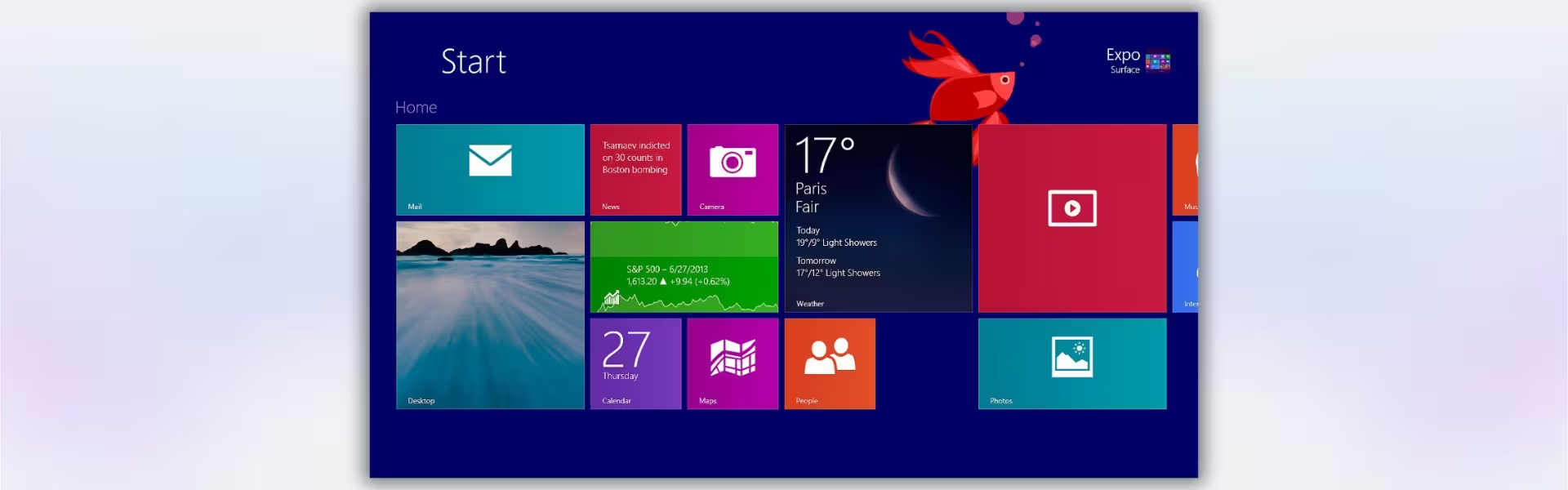
| Component | Requirement |
| Processor | 1 GHz or faster with support for PAE, NX, and SSE2 |
| RAM | 1 GB for 32-bit or 2 GB for 64-bit |
| Storage | 16 GB for 32-bit or 20 GB for 64-bit |
| Operating System | Windows 8.1 Enterprise |
| Graphics Card | Microsoft DirectX 9 graphics device with WDDM driver |
| Display | 800 × 600 resolution or higher |
| Specification | Detail |
|---|---|
| Activation | Single PC (one-time activation) |
| License validity | Lifetime (does not expire after activation) |
| Delivery method | By email within 15 minutes |
| Languages | Multilingual |

1 – Buy
Shop securely with SSL encryption.

2 – Receive
You will receive the license key and download link.

3 – Download
Download and install the software.

4 – Activate
Enter the license key to the software.
Windows 11 Enterprise LTSC 2024
Windows 10 Pro for Workstations
Windows 10 Enterprise IoT LTSC 2021
Windows 10 Enterprise LTSC 2021
Office 2024 Professional Plus + Windows 10 Pro
