











- Description
- Minimum Requirements
- Specifications
- Additional information
- Reviews
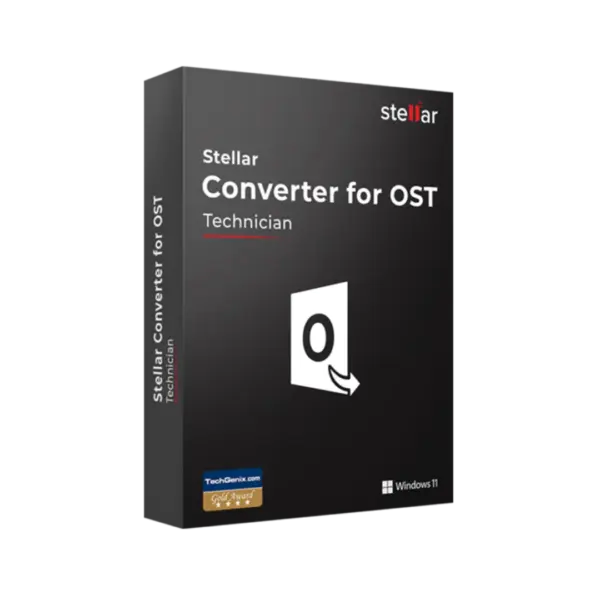
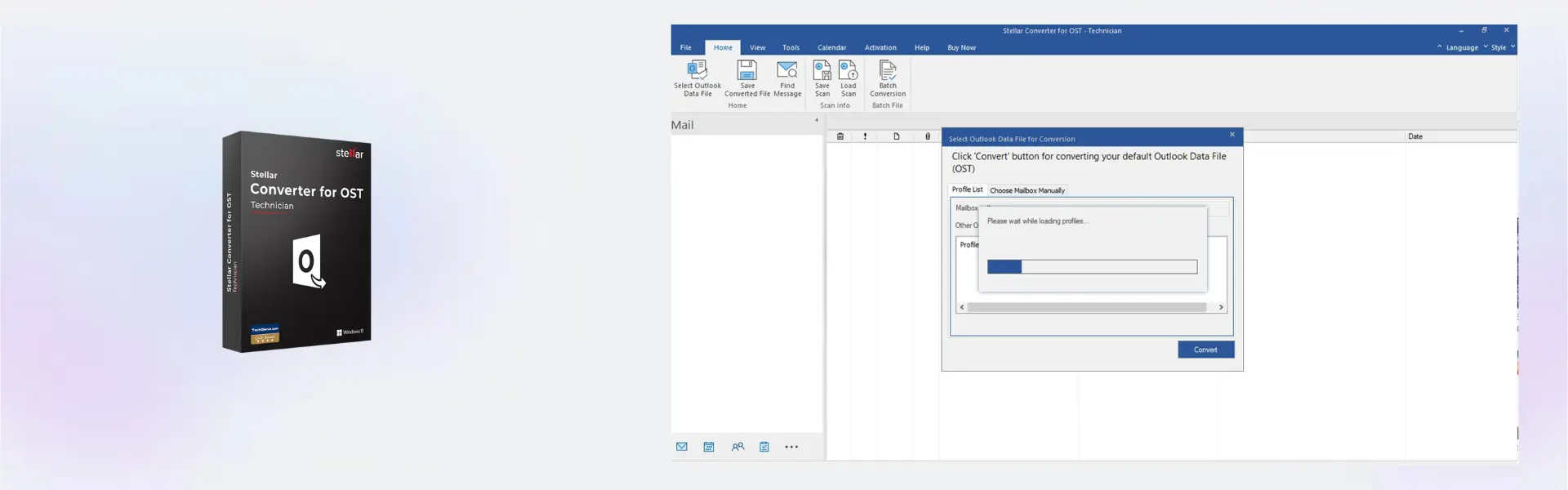
Stellar Converter for OST Technician is a professional Windows solution for converting inaccessible or orphaned OST files into usable mailbox data. It is designed for IT teams, technicians, and business users who need accurate email conversion with instant digital delivery.
With flexible 1 Year or Lifetime usage options and no monthly subscription, it gives professionals a reliable way to manage Outlook data conversion projects. The software helps recover access to important emails, attachments, contacts, calendars, and other mailbox items with a structured workflow.
Overview of Stellar Converter for OST Technician
- Platform: Windows
- License Type: Technician
- License Duration: 1 Year/ Lifetime
- Activation Method: Online activation
- Delivery: Instant digital delivery via email
- Support: Email and remote assistance
- Language Support: Multi-language
- Compliance: Genuine software licenses sourced through compliant distribution channels in line with EU laws (EU Directive 2009/24/EC) and industry standards.
Key Features
- OST file conversion: Converts inaccessible, orphaned, or disconnected OST files into usable mailbox data. This helps users regain access to important Outlook information when the original mail profile is unavailable.
- Technician-level workflow: Built for IT professionals and service providers who handle advanced conversion tasks. It supports structured work for client projects, internal support, and business recovery scenarios.
- Mailbox item recovery: Helps extract emails, attachments, contacts, calendars, tasks, and other mailbox items from OST data. This reduces the risk of losing essential communication during migration or recovery work.
- Preserves folder structure: Maintains mailbox hierarchy during conversion, so exported data stays organized. This saves time after conversion and makes the output easier to review and use.
- Supports migration planning: Converts OST data into formats suitable for further use in Outlook or business email workflows. This is useful during system changes, employee transitions, or mailbox restoration projects.
- Selective conversion control: Allows users to focus on relevant mailbox data instead of processing unnecessary items. This improves speed and keeps large conversion projects more manageable.
- Professional output quality: Delivers a more dependable conversion process than manual workarounds. It is ideal when mailbox data must remain accurate, complete, and ready for business use.
Main Features Explained
OST File Conversion
OST file conversion transforms Outlook offline data files into accessible mailbox content. This is useful when an OST file is no longer connected to its original Outlook profile or Exchange account.
It matters because important emails and records can become difficult to access when a profile is removed, damaged, or unavailable. A dedicated converter helps restore practical access to that data.
Mailbox Structure Preservation
Stellar Converter for OST Technician helps keep the original mailbox structure intact during conversion. Folders, subfolders, and mailbox organization are preserved as much as possible.
This matters because a clean structure makes the converted data easier to search, review, and import into new workflows. It also reduces manual sorting after conversion.
Technician Workflow Support
The Technician edition is built for users who need more control than a basic conversion tool can provide. It is suitable for technical teams handling multiple recovery, conversion, or migration tasks.
This matters for IT service providers and business support teams. They need a reliable tool that supports professional workloads and time-sensitive email data projects.
Selective Mailbox Export
Selective mailbox export helps users convert only the data they need. This can include specific folders, mailbox items, or relevant project data.
It matters because large OST files can contain years of email history. Selective handling saves time and helps keep conversion results focused.
Business Email Recovery Preparation
Stellar Converter for OST Technician supports recovery preparation when Outlook data must be made usable again. It helps extract and organize mailbox information for further handling.
This matters because business email often contains contracts, client communication, invoices, and internal records. Keeping that information accessible is essential for continuity.
Why Choose Stellar Converter for OST Technician?
Stellar Converter for OST Technician is ideal for IT administrators, technicians, support teams, consultants, and businesses that need to convert OST files on Windows. It is especially useful when Outlook data must be recovered, migrated, reviewed, or prepared for reuse.
The software helps reduce manual effort during mailbox conversion projects. It gives technical users a clearer process for working with orphaned OST files, damaged profiles, and business-critical email archives.
If you need reliable backup and data recovery software, this product fits naturally into workflows where email data must be converted, protected, or restored for continued use. It is a practical choice for organizations that cannot afford to lose access to mailbox information.
Compared with Stellar Converter for OST Corporate, the Technician version is better suited for technical users who manage advanced conversion tasks and support work. The Corporate version may be more suitable for business users who need a corporate-focused OST conversion solution without the same technician-oriented positioning.
If the issue involves damaged Outlook PST files or repair-focused scenarios, Stellar Repair for Outlook Technician may be more relevant. For broader Outlook repair needs, Stellar Repair for Outlook Toolkit can be considered, while Stellar Toolkit for Exchange is better suited for Exchange-focused recovery and administration workflows.
Stellar Converter for OST Technician vs Alternatives
Stellar Converter for OST Technician is a stronger choice than basic OST conversion tools when accuracy, structure, and technical control matter. It is designed for users who work with important mailbox data and need a dependable process.
Compared with the Corporate edition, the Technician edition is positioned for technical users, IT teams, and service providers. It is more appropriate when conversion work is part of support, migration, or client-facing services.
Compared with Outlook repair tools, this product focuses on OST conversion rather than repairing PST corruption. That distinction matters because choosing the right tool depends on whether the task is conversion, repair, recovery, or Exchange-related administration.
Free or limited tools may be enough for small, non-critical tasks. However, professional mailbox projects require better handling of folder structure, mailbox items, and export control.
System Compatibility
Stellar Converter for OST Technician is designed for Windows. It is suitable for technicians and business users who manage Outlook OST files from a Windows-based workstation.
Before installation, make sure the device has enough storage space for the application and the converted mailbox data. A stable internet connection is also required for online activation.
For best results, use the software on the computer where you plan to manage your conversion projects. Keeping source files and exports in one workspace makes the process more organized.
License Type Explanation
This product is provided with a Technician license type. It is not listed as Retail, Bind, or LTSC in the provided specifications.
The license duration is stated as 1 Year/ Lifetime, which means availability may depend on the selected purchase option. Users who choose the lifetime option receive long-term usage, while the 1-year option is intended for a fixed active term.
Transferability is not specified in the provided product details. For that reason, it is best to install and activate the product on the correct Windows device from the start.
This is a professional software purchase for technical conversion work, with online activation and instant digital delivery. It does not require a monthly subscription.
Installation & Activation
- Complete your order and receive the digital delivery by email.
- Download the installation file using the instructions provided after purchase.
- Run the installer on your Windows device.
- Follow the installation steps shown on screen.
- Activate the software online when prompted.
- Contact support if you need help with installation or activation.
Why Buy From Us
Digital License provides a secure and professional purchasing experience for software users. You receive fast digital delivery, support when needed, and software sourced through compliant distribution channels.
- Genuine licenses: Products are sourced through compliant distribution channels.
- Secure payment: The checkout process is protected and straightforward.
- Instant delivery: Digital delivery is provided via email after purchase.
- Support included: Email and remote assistance are available when needed.
- EU compliance: In line with EU laws, including EU Directive 2009/24/EC, and industry standards.
Trust Section
When mailbox data is involved, accuracy and reliability are essential. Digital License helps professionals access the software they need through a secure checkout process, clear delivery, and responsive assistance.
The product is delivered digitally, so you can begin installation without waiting for physical shipping. This is especially valuable for urgent recovery, migration, and technical support tasks.
Frequently Asked Questions
Can Stellar Converter for OST Technician work with orphaned OST files?
Yes, it is designed to convert OST files that are no longer connected to the original Outlook profile or Exchange account. This is useful when a mailbox must be recovered after profile deletion, system changes, or account access issues.
What makes the Technician version useful for IT support work?
The Technician version is built for professional conversion workflows where accuracy, structure, and repeatable results matter. It is especially useful for IT teams, technicians, and service providers handling client mailbox recovery or migration projects.
Does Stellar Converter for OST Technician keep the original folder structure?
Yes, the software helps preserve mailbox folders and subfolders during conversion. This makes the exported data easier to review, organize, and use after the conversion is complete.
Is this the right tool if I need to repair corrupted PST files?
No, Stellar Converter for OST Technician is focused on OST conversion. If your main issue is a damaged PST file, a Stellar Repair for Outlook solution would be more appropriate.
How should I choose between the 1 Year and Lifetime option?
The 1 Year option is suitable for short-term projects, temporary support work, or limited migration needs. The Lifetime option is better for users who expect to handle OST conversion tasks regularly over a longer period.
| Component | Requirement |
| Processor | Intel Pentium processor or compatible x64 processor |
| RAM | 4 GB RAM minimum (8 GB recommended) |
| Storage | 500 MB free disk space for installation |
| Operating System | Windows 11 / 10 / 8.1 / 8 / 7 |
| Supported Outlook | Microsoft Outlook 2021, 2019, 2016, 2013 |
| Display | Minimum screen resolution of 1024 × 768 |
| Specification | Detail |
|---|---|
| Product | Stellar Converter for OST Technician |
| Activation | Windows PCs |
| License validity | 1 Year / Lifetime |
| Features | Convert OST to PST and recover emails, contacts, calendars, attachments |
| Export Options | PST, MSG, EML, RTF, PDF, HTML |
| Delivery method | By email within 15 minutes |
| Languages | Multilingual |
Additional information
| Subscription period | 1 Year, Lifetime |
|---|

1 – Buy
Shop securely with SSL encryption.

2 – Receive
You will receive the license key and download link.

3 – Download
Download and install the software.

4 – Activate
Enter the license key to the software.

Ashampoo 3D CAD Architecture 10