











- Description
- Minimum Requirements
- Specifications
- Additional information
- Reviews
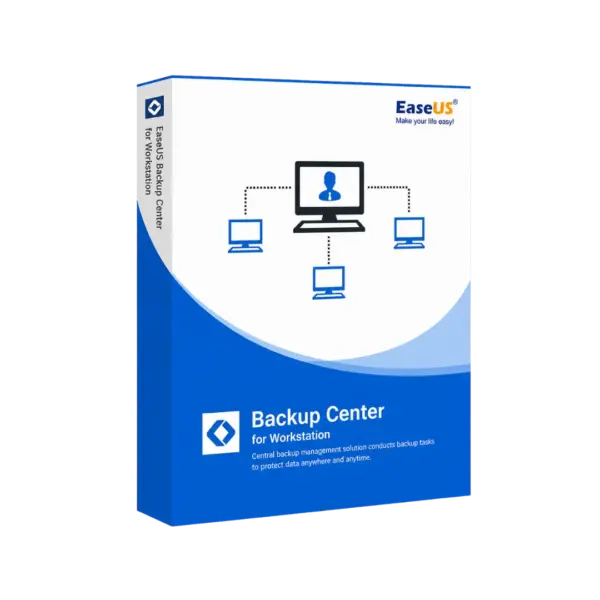
EaseUS Backup Center for Workstation is a professional workstation backup management solution for businesses, IT teams, and administrators. It helps manage backup tasks with instant digital delivery, flexible duration options, and a Lifetime option with no recurring subscription.
With this tool, teams can monitor workstation backups, reduce manual checks, and improve data protection. As a result, it is a smart choice for companies that need reliable control over backup workflows.
Overview of EaseUS Backup Center for Workstation
- Platform: Windows
- Devices: 1 Device
- License Duration: 1 Years/ 2 Years / Lifetime
- Activation Method: Online activation
- Delivery: Instant digital delivery via email
- Support: Email and remote assistance
- Language Support: Multi-language
- Compliance: Genuine software licenses sourced through compliant distribution channels in line with EU laws (EU Directive 2009/24/EC) and industry standards.
Key Features
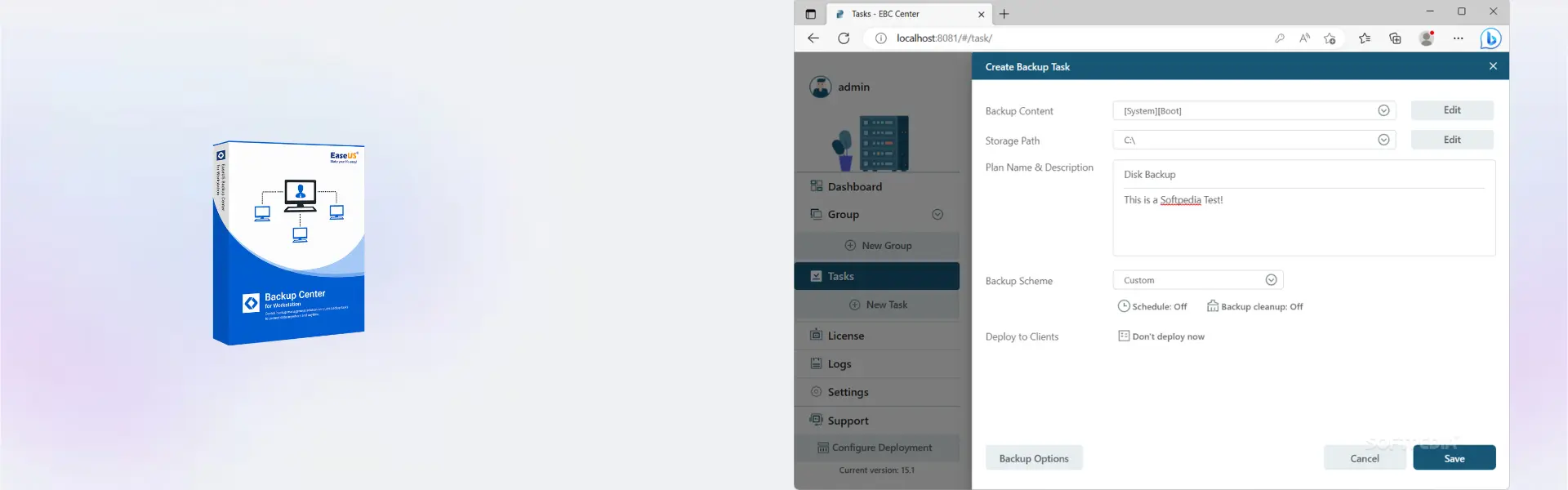
- Centralized workstation backup management: control backup tasks from one place, which saves time and improves daily administration.
- Backup status monitoring: review task results quickly, so failed backups can be handled before they create risk.
- Remote task control: manage backup jobs without accessing every workstation directly, which improves IT efficiency.
- Scheduled backup planning: create regular backup routines to reduce manual work and improve consistency.
- Data protection workflow: keep important workstation files protected against loss, system issues, or accidental deletion.
- Scalable administration: support growing teams with easier control over multiple backup tasks.
- Business continuity support: reduce downtime risk by keeping workstation backup operations visible and organized.
Main Features Explained
Centralized Backup Console
The centralized console allows administrators to manage workstation backup tasks from one interface. Therefore, teams can work faster and avoid switching between multiple systems.
Backup Monitoring
Backup monitoring helps track task progress and backup results. This matters because missed or failed backups can leave business data exposed.
Remote Backup Management
Remote management allows IT staff to control backup operations without direct access to every computer. This is useful for offices, teams, and managed workstation environments.
Scheduled Protection
Scheduled backup control helps automate important routines. In addition, it reduces human error and keeps protection more reliable.
Workstation Recovery Support
Reliable backup management supports faster recovery planning. As a result, businesses can respond more confidently after data loss or system problems.
Why Choose EaseUS Backup Center for Workstation?
EaseUS Backup Center for Workstation is designed for IT administrators, small businesses, support teams, and managed service providers. It is useful when workstation backup tasks need to be controlled clearly, securely, and efficiently.
This product helps reduce manual backup checks and gives teams better visibility over endpoint protection. It also supports stronger data security workflows for businesses that depend on stable workstations.
For more protection tools, explore our backup and data recovery software category. If you need direct workstation backup creation instead of centralized control, compare it with EaseUS Todo Backup Workstation.
EaseUS Backup Center for Workstation vs Alternatives
EaseUS Backup Center for Workstation focuses on centralized backup management for workstation environments. It is ideal when the main goal is better control, monitoring, and organization.
EaseUS Todo Backup Technician is better for service providers that need broader technical backup tools. Meanwhile, EaseUS Backup Center for Advanced Server is designed for more advanced server-focused environments.
System Compatibility
This product is built for Windows workstations. A stable internet connection is recommended for online activation.
Before installation, make sure the device meets the software publisher’s system requirements. This helps ensure smoother setup and reliable performance.
License Type Explanation
EaseUS Backup Center for Workstation is available with 1-year, 2-year, or Lifetime options. Therefore, you can choose the duration that best fits your business needs.
The Lifetime option provides long-term access through a one-time purchase. It also helps reduce recurring subscription costs after activation.
Transferability and reactivation depend on the software publisher’s terms and activation policies.
Installation & Activation
- Complete your order and receive digital delivery by email.
- Download the installation file using the provided instructions.
- Install EaseUS Backup Center for Workstation on a compatible Windows device.
- Launch the software after installation.
- Enter the activation details and complete online activation.
- Start configuring and managing workstation backup tasks.
Why Buy From Us
Digital License provides a secure and professional purchase experience. You get fast digital delivery, reliable support, and compliant software sourcing.
- Genuine licenses: sourced through compliant distribution channels.
- Secure payment: protected checkout for safer transactions.
- Instant delivery: digital delivery via email after purchase.
- Support included: email and remote assistance available.
- EU compliance: aligned with EU Directive 2009/24/EC and industry standards.
Trust Section
Digital License focuses on clear product information, secure ordering, and helpful customer support. Each order is processed through reliable digital delivery methods.
Additionally, our support helps customers with delivery and activation guidance when needed. This makes the purchase process smoother and more dependable.
FAQ
How is EaseUS Backup Center for Workstation delivered?
The product is delivered digitally by email after the order is completed.
How do I activate the software?
Activation is completed online using the details provided after purchase.
Is EaseUS Backup Center for Workstation compatible with Windows?
Yes, the product is designed for Windows environments.
How many devices are included?
The product is for 1 Device.
Is a Lifetime option available?
Yes, the available duration options include 1 year, 2 years, and Lifetime.
Is this a subscription?
The Lifetime option allows long-term use without a recurring subscription after activation.
Can the product be transferred to another device?
Transferability depends on the publisher’s activation rules and product terms.
Is the purchase compliant with EU laws?
Yes, products are sourced through compliant distribution channels in line with EU laws and industry standards.
| Component | Requirement |
| Processor | x86/x64-compatible CPU, 2 GHz or faster |
| RAM | 4 GB minimum (8 GB or more recommended) |
| Storage | At least 1 GB of free disk space for installation |
| Operating System | Windows 11 / 10 (64-bit) |
| Graphics card | Standard VGA compatible graphics |
| Display | 1024 × 768 resolution or higher |
| Specification | Detail |
|---|---|
| Activation | Single Device License (1 PC) |
| License validity | 1 Year / 2 Years / Lifetime (one-time purchase) |
| Delivery method | By email within 5–15 minutes |
| Languages | Multilingual |
Additional information
| Subscription period | 1 Year, 2 Years, Lifetime |
|---|

1 – Buy
Shop securely with SSL encryption.

2 – Receive
You will receive the license key and download link.

3 – Download
Download and install the software.

4 – Activate
Enter the license key to the software.

Corel Painter Essentials 7 (PC - Mac)