











- Description
- Minimum Requirements
- Specifications
- Additional information
- Reviews
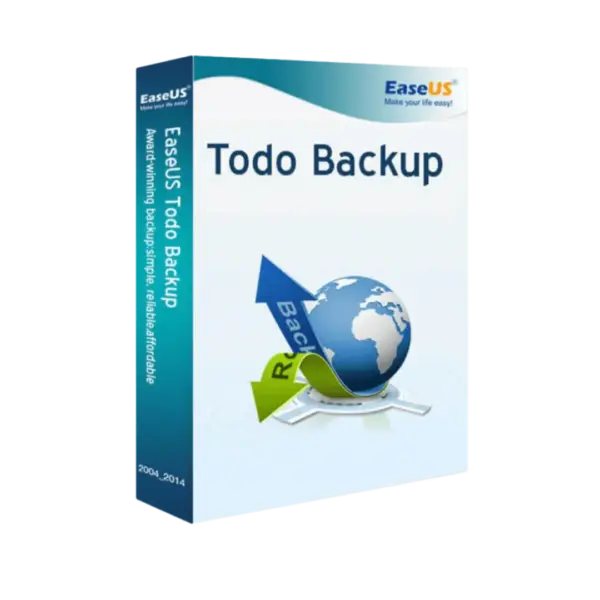
EaseUS Todo Backup Technician is a professional backup and recovery solution built for IT technicians, service providers, and technical support teams. It helps protect client systems with instant digital delivery, flexible duration options, and a Lifetime option with no recurring subscription.
This technician-focused solution supports efficient backup, restore, and system protection workflows. As a result, it is ideal for professionals who manage data safety across different customer environments.
Overview of EaseUS Todo Backup Technician
- Platform: Windows
- License Type: Technician
- Devices: Technician
- License Duration: 1 Year/ 2 Years/ Lifetime
- Activation Method: Online activation
- Delivery: Instant digital delivery via email
- Support: Email and remote assistance
- Language Support: Multi-language
- Compliance: Genuine software licenses sourced through compliant distribution channels in line with EU laws (EU Directive 2009/24/EC) and industry standards.
Key Features
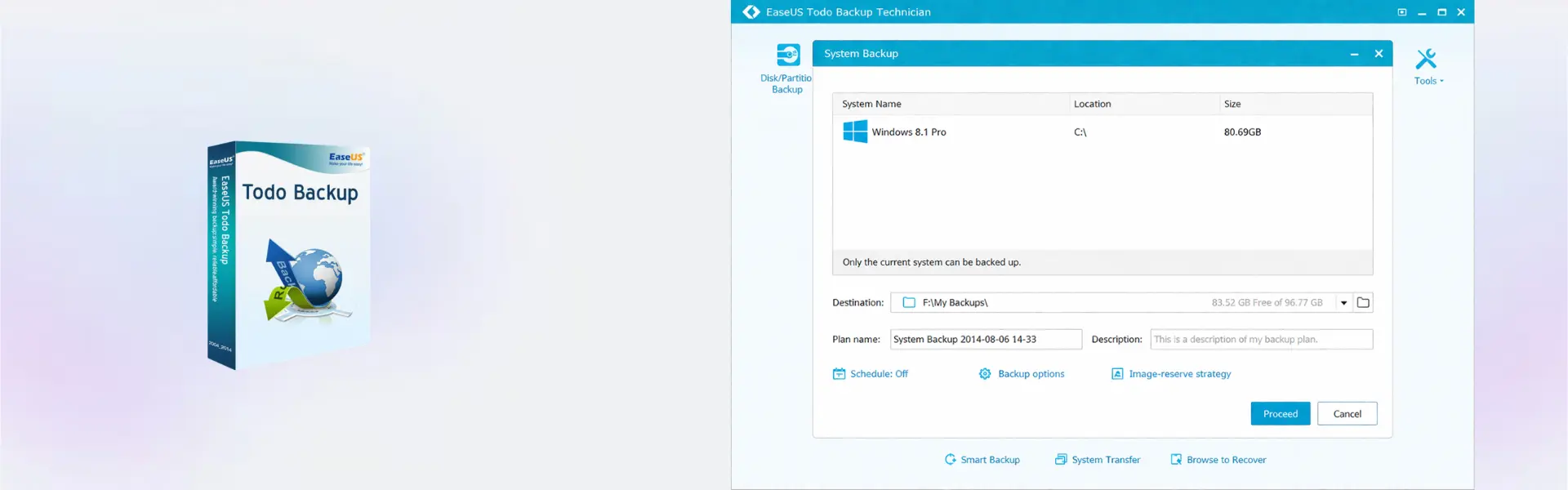
- Professional backup creation: create file, system, disk, and partition backups, helping protect client data from failure or loss.
- System recovery support: restore systems after crashes or serious errors, reducing downtime for customers.
- Disk and partition cloning: copy drives or partitions for upgrades, replacements, and migration tasks.
- Scheduled backup planning: automate backup routines, which helps reduce missed protection tasks and manual work.
- Technician workflow support: designed for service environments, making backup tasks easier across multiple customer cases.
- Data migration assistance: move important data to new storage devices, helping users upgrade hardware with less risk.
- Disaster recovery preparation: build recovery-ready backup plans so critical systems can be restored more confidently.
Main Features Explained
System Backup
System backup creates a restorable copy of the operating environment. Therefore, technicians can help customers recover faster after serious system issues.
Disk and Partition Backup
This feature protects complete drives or selected partitions. It matters because different repair and upgrade jobs often require focused data protection.
Backup Scheduling
Scheduled backups run automatically based on a chosen plan. As a result, users can keep data protected more consistently with less manual effort.
Recovery and Restore
Restore tools help bring back files, systems, or disk data from a backup. This is essential when customers face deletion, corruption, hardware failure, or system crashes.
Cloning for Upgrades
Cloning helps copy data to another drive during hardware upgrades. In addition, it makes disk replacement faster and safer for service work.
Why Choose EaseUS Todo Backup Technician?
EaseUS Todo Backup Technician is built for IT service providers, repair shops, consultants, and technical teams. It is useful when backup and recovery tasks must be handled professionally for multiple customer situations.
The software helps reduce downtime, improve service quality, and protect valuable customer data. It also supports smoother hardware upgrades, system recovery, and data migration work.
For more protection tools, explore our backup and data recovery software category. If your main focus is disk duplication, compare it with EaseUS Disk Copy Technician.
EaseUS Todo Backup Technician vs Alternatives
EaseUS Todo Backup Technician is focused on professional backup, recovery, and service workflows. It is a strong option when technicians need reliable tools for customer protection tasks.
EaseUS Partition Master Technician is better for advanced partition management and disk organization. Meanwhile, EaseUS Data Recovery Wizard Technician is more suitable when the main priority is recovering lost or deleted data.
System Compatibility
This product is designed for Windows environments. A stable internet connection is recommended for online activation.
Before installation, make sure the device meets the software publisher’s system requirements. This helps ensure smooth setup, reliable backup performance, and better recovery results.
License Type Explanation
Technician is designed for professional users who handle backup and recovery tasks in service environments. It supports technician-focused workflows for repair shops, consultants, and IT teams.
The Lifetime option provides long-term access through a one-time purchase. It also helps reduce recurring subscription costs after activation.
Transferability and reactivation depend on the software publisher’s terms and activation policies.
Installation & Activation
- Complete your order and receive digital delivery by email.
- Download the installation file using the provided instructions.
- Install EaseUS Todo Backup Technician on a compatible Windows device.
- Launch the software after installation.
- Enter the activation details and complete online activation.
- Create a backup plan and begin protecting customer systems.
Why Buy From Us
Digital License provides a secure and professional purchase experience. You receive fast digital delivery, reliable support, and compliant software sourcing.
- Genuine licenses: sourced through compliant distribution channels.
- Secure payment: protected checkout for safer transactions.
- Instant delivery: digital delivery via email after purchase.
- Support included: email and remote assistance available.
- EU compliance: aligned with EU Directive 2009/24/EC and industry standards.
Trust Section
Digital License focuses on secure ordering, clear product details, and dependable customer support. Each order is processed through reliable digital delivery methods.
In addition, our support team can help with delivery and activation guidance. This helps make the purchase process smoother for professional software buyers.
FAQ
How is EaseUS Todo Backup Technician delivered?
The product is delivered digitally by email after the order is completed.
How do I activate the software?
Activation is completed online using the details provided after purchase.
Is EaseUS Todo Backup Technician compatible with Windows?
Yes, the product is designed for Windows environments.
Who is the Technician version for?
It is designed for IT technicians, service providers, repair shops, and professional support teams.
Is a Lifetime option available?
Yes, the available duration options include 1 year, 2 years, and Lifetime.
Is this a subscription?
The Lifetime option allows long-term use without a recurring subscription after activation.
Can the product be transferred to another device?
Transferability depends on the publisher’s activation rules and product terms.
Is the purchase compliant with EU laws?
Yes, products are sourced through compliant distribution channels in line with EU laws and industry standards.
| Component | Requirement |
| Processor | x86 or x64-compatible CPU, 1 GHz or faster |
| RAM | 1 GB minimum (2 GB recommended) |
| Storage | At least 1 GB of free disk space for installation |
| Operating System | Windows 8.1 / 10 / 11 (32-bit & 64-bit), Windows Server supported |
| Graphics card | Standard VGA compatible graphics |
| Display | 1024 × 768 resolution or higher |
| Specification | Detail |
|---|---|
| Activation | Technician License (For IT Service Providers, ) |
| License validity | 1 Year / 2 Years / Lifetime (one-time purchase) |
| Delivery method | By email within 5–15 minutes |
| Languages | Multilingual |
Additional information
| Subscription period | 1 Year, 2 Years, Lifetime |
|---|

1 – Buy
Shop securely with SSL encryption.

2 – Receive
You will receive the license key and download link.

3 – Download
Download and install the software.

4 – Activate
Enter the license key to the software.
Ashampoo 3D CAD Professional 11