











- Description
- Minimum Requirements
- Specifications
- Additional information
- Reviews
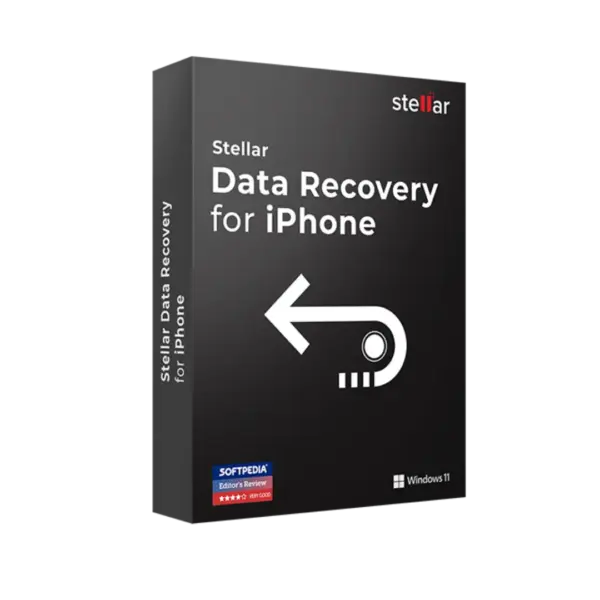
Stellar Data Recovery for iPhone Standard is a professional recovery solution for Windows and Mac users who need to restore lost or deleted iPhone data. It is ideal for recovering contacts, messages, photos, videos, call history, notes, and other important iOS files after accidental deletion, device issues, or sync problems. You receive instant digital delivery by email, online activation, and no automatically renewed subscription, while lifetime usage applies only to products where it is clearly stated in the product specifications.
Overview of Stellar Data Recovery for iPhone Standard
- Platform: Windows/ Mac
- Edition: Standard
- Devices: 5 Devices
- License Duration: 1 Year
- Activation Method: Online activation
- Delivery: Instant digital delivery via email
- Support: Email and remote assistance
- Language Support: Multi-language
- Compliance: Genuine software licenses sourced through compliant distribution channels in line with EU laws (EU Directive 2009/24/EC) and industry standards.
Key Features
- iPhone data recovery: helps recover deleted or lost files from iPhone devices, giving users a practical way to restore important personal and business data.
- Recovery of messages and contacts: retrieves lost SMS, iMessages, contacts, and call history, making it easier to restore communication records after accidental deletion.
- Photo and video recovery: helps recover media files from iPhone storage, which is useful when important memories, work images, or video files are missing.
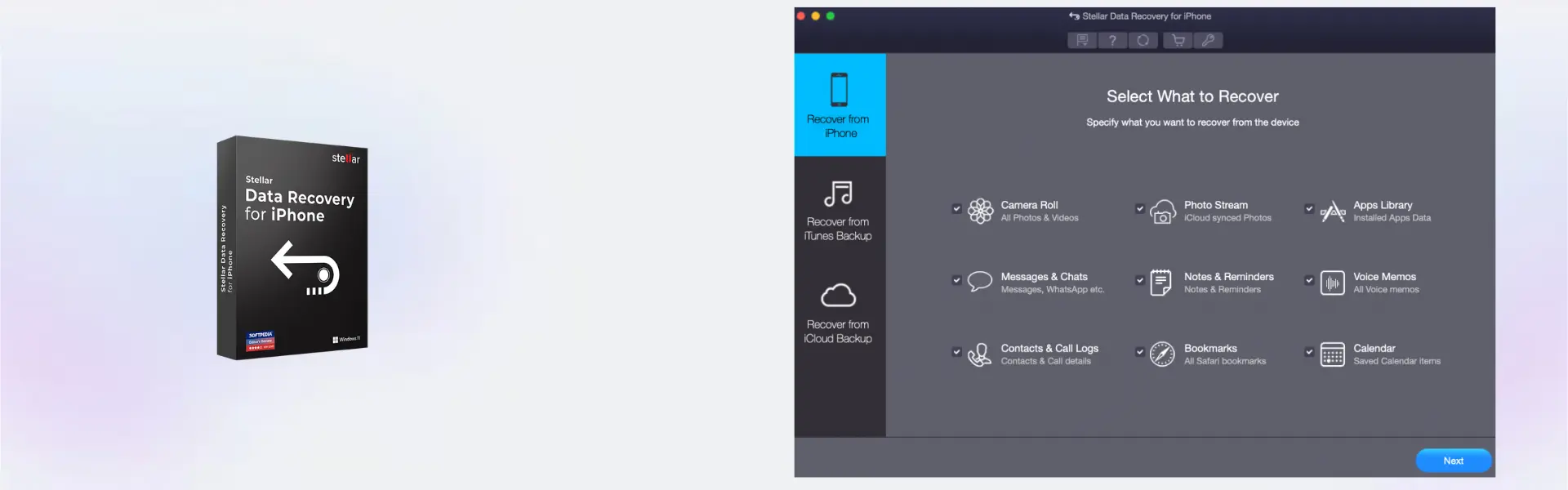
- iTunes backup recovery: allows users to scan existing iTunes backups and extract selected data without restoring the entire device.
- iCloud backup recovery support: helps access recoverable data from iCloud backups, giving users another recovery option when the device itself is not available.
- Preview before recovery: lets you review recoverable files before saving them, so you can choose only the data you actually need.
- Selective recovery: allows specific files, folders, or data types to be restored, saving time and avoiding unnecessary data recovery.
- Support for 5 devices: makes the product suitable for households, small teams, and users managing multiple iPhone devices.
Main Features Explained
Recover deleted iPhone data
Stellar Data Recovery for iPhone Standard scans your iPhone to find deleted or lost data that may still be recoverable. This matters when contacts, messages, photos, or notes are removed by mistake and need to be restored quickly.
Restore data from iTunes backups
The software can scan iTunes backup files and display recoverable content. This is useful because you can recover selected files without overwriting your current iPhone data with a full backup restore.
Recover from iCloud backups
The tool can help retrieve data from iCloud backup sources. This matters when the iPhone is damaged, replaced, unavailable, or no longer contains the files you need.
Preview files before saving
The preview feature shows recoverable items before export. This helps you confirm the correct data before saving, reducing confusion and improving recovery accuracy.
Selective recovery for faster results
Instead of restoring everything, you can choose the exact data types or items you need. This makes the recovery process cleaner, faster, and easier to manage.
Why Choose Stellar Data Recovery for iPhone Standard?
Stellar Data Recovery for iPhone Standard is designed for users who need a secure and effective way to recover iPhone data from devices, iTunes backups, or iCloud backups. It is especially useful after accidental deletion, failed iOS updates, factory resets, device damage, or data loss caused by sync issues.
This product is suitable for individual users, families, small offices, and professionals who manage several Apple devices. It helps reduce the stress of data loss by giving you a clear recovery process with scanning, preview, selection, and export. For more tools focused on recovery, backup, and data protection, explore our backup and data recovery software category.
Compared with Stellar Data Recovery Premium, the Standard edition is focused on iPhone data recovery needs. The Premium version is more suitable when you need a broader recovery solution for different storage media and advanced recovery scenarios.
Stellar Data Recovery for iPhone Standard vs Alternatives
Stellar Data Recovery for iPhone Standard is a focused solution for recovering iPhone data. It is ideal when your main goal is to restore iOS files such as messages, contacts, photos, videos, and notes.
If you need advanced file recovery from hard drives, USB drives, or other storage devices, Stellar Data Recovery Professional may be more suitable. If your priority is recovering lost photos and media from cameras, memory cards, or storage devices, Stellar Photo Recovery Professional can be a better fit.
System Compatibility
Stellar Data Recovery for iPhone Standard works on Windows and Mac. It is suitable for users who need to recover iPhone data using a desktop or laptop computer. For best results, use a stable internet connection for online activation, connect the iPhone properly when scanning a device, and make sure there is enough storage space to save recovered files.
License Type Explanation
Stellar Data Recovery for iPhone Standard is provided for 5 devices with a license duration of 1 year. This means you receive a one-time purchase for the stated period, with digital delivery and online activation.
This product is not a Microsoft Retail, Bind, or LTSC license. Therefore, Microsoft-specific rules for transferability and lifetime usage do not directly apply. Usage, activation, and any transfer options depend on the manufacturer’s terms for Stellar and the product specification.
In practical terms, this version is intended for use during the 1-year license period. Lifetime usage only applies when it is clearly stated for the selected product variant. If transferability is important, it should be checked against the current Stellar activation terms before activation.
Installation and Activation
- Step 1: Complete your order and check your email for the digital delivery details.
- Step 2: Download the installer using the instructions provided after purchase.
- Step 3: Install the software on your Windows or Mac computer.
- Step 4: Launch Stellar Data Recovery for iPhone Standard after installation.
- Step 5: Choose online activation and enter the activation details received by email.
- Step 6: Connect your iPhone or select a backup source, scan for recoverable data, preview the results, and save the files you need.
Why Buy From Us
Digital License provides fast digital delivery, secure payment, and support after purchase. You receive clear activation instructions and assistance if you need help getting started.
- Genuine licenses: software is sourced through compliant distribution channels.
- Secure payment: orders are processed through protected online payment methods.
- Instant delivery: product information is sent digitally by email.
- Support after purchase: email and remote assistance are available when needed.
- EU law compliance: distribution follows EU Directive 2009/24/EC and relevant industry standards.
Trust Section
When you choose Digital License, you receive a clear digital purchase experience with reliable product delivery and customer support. Our focus is to provide genuine software, transparent licensing details, secure checkout, and practical help for installation or activation.
FAQ
Does Stellar Data Recovery for iPhone Standard work on Windows and Mac?
Yes, the product supports Windows and Mac according to the product specifications.
How is Stellar Data Recovery for iPhone Standard delivered?
The product is delivered digitally by email, usually shortly after the order and payment are processed.
How do I activate Stellar Data Recovery for iPhone Standard?
The product uses online activation. After installation, open the software and enter the activation details provided by email.
Can it recover deleted iPhone photos and messages?
Yes, the software is designed to help recover deleted or lost iPhone data, including photos, messages, contacts, videos, notes, and other supported items.
Can I recover data from an iTunes backup?
Yes, the software can scan iTunes backups and help recover selected data without requiring a full device restore.
Is the product suitable for multiple devices?
Yes, according to the specification, this version supports 5 Devices.
Is Stellar Data Recovery for iPhone Standard a lifetime product?
No, according to the specification, the license duration is 1 Year. Lifetime usage applies only to product variants where it is clearly stated.
Is the purchase legal?
Yes, the product is supplied as genuine software sourced through compliant distribution channels in line with EU laws, including EU Directive 2009/24/EC, and industry standards.
Do I get support after purchase?
Yes, email and remote assistance are available for activation, installation, and basic setup support.
| Component | Requirement |
| Processor | Windows: Intel Pentium processor or compatible x64 processor Mac: Intel processor or Apple Silicon (M1/M2/M3/M4) |
| RAM | 4 GB RAM minimum (8 GB recommended) |
| Storage | 250 MB free disk space for installation |
| Operating System | Windows: Windows 11 / 10 / 8.1 Mac: macOS Ventura (13) or later |
| Supported iOS | iOS 18 and earlier versions |
| Display | Minimum screen resolution of 1024 × 768 |
| Specification | Detail |
|---|---|
| Product | Stellar Data Recovery for iPhone Standard |
| Activation | 5 Windows PCs or 5 Mac Devices |
| License validity | 1 Year |
| Features | Recover deleted photos, videos, messages, contacts, and WhatsApp data from iPhone |
| Supported Devices | iPhone, iPad, iPod Touch |
| Recovery Sources | iPhone device, iTunes backup, iCloud backup |
| Delivery method | By email within 15 minutes |
| Languages | Multilingual |
Additional information
| Operating systems | Windows, Mac |
|---|---|
| Subscription period | 1 Year |

1 – Buy
Shop securely with SSL encryption.

2 – Receive
You will receive the license key and download link.

3 – Download
Download and install the software.

4 – Activate
Enter the license key to the software.


Corel Painter Essentials 7 (PC - Mac)