


























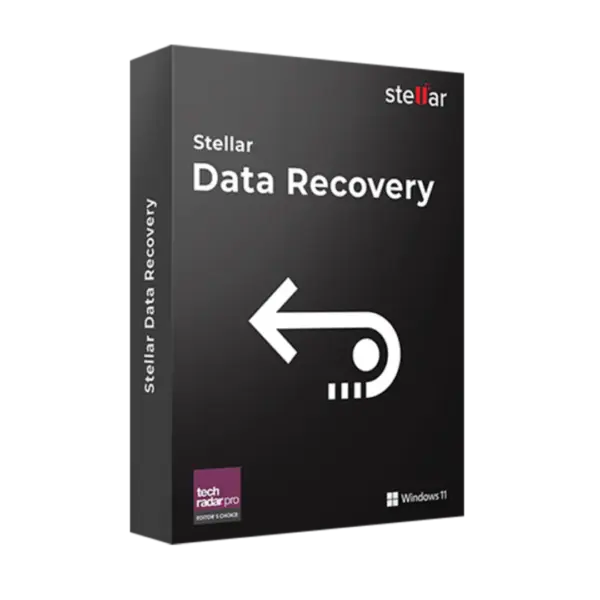












- Description
- Minimum Requirements
- Specifications
- Additional information
- Reviews
Stellar Data Recovery Standard for Windows is an essential Windows data recovery software for restoring lost files, deleted data, and inaccessible content on Windows devices. With instant digital delivery, you can start recovery quickly after purchase.
Choose flexible 1 Year / Lifetime usage with no subscription, depending on the option you select. It is ideal for home users, students, freelancers, and small offices that need reliable file recovery for Windows.
Overview of Stellar Data Recovery Standard for Windows
- Platform: Windows
- Edition: Standard
- Devices: 1 Device
- License Duration: 1 Year / Lifetime
- Activation Method: Online activation
- Delivery: Instant digital delivery via email
- Support: Email and remote assistance
- Language Support: Multi-language
- Compliance: Genuine software licenses sourced through compliant distribution channels in line with EU laws (EU Directive 2009/24/EC) and industry standards.
Key Features
- Recover deleted files: Restore documents, photos, videos, and other important files after accidental deletion, helping you avoid permanent data loss.
- Formatted drive recovery: Scan formatted Windows drives and recover lost files when important data is removed during disk formatting.
- Deep scan technology: Perform a more detailed search when quick scanning cannot locate the missing files you need.
- Multiple file type support: Recover common file formats used for work, study, personal storage, and multimedia collections.
- Preview before recovery: Check recoverable files before restoring them, so you can save only the data you actually need.
- Windows storage support: Recover data from internal drives, external drives, USB devices, and compatible Windows storage media.
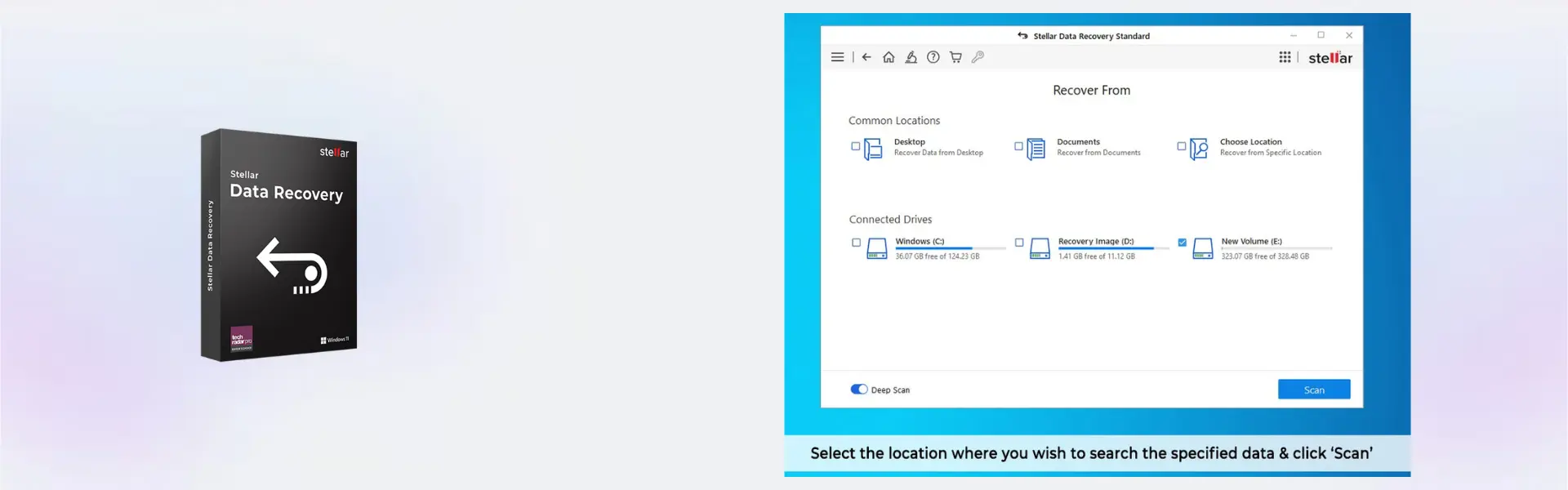
- Simple recovery workflow: Use a guided interface that makes data recovery easier, even for users without advanced technical experience.
Main Features Explained
Deleted File Recovery
Stellar Data Recovery Standard for Windows helps restore files that were accidentally deleted from your Windows device. This matters when important documents, images, or personal files are removed and cannot be found in the Recycle Bin.
Deep Scan for Hard-to-Find Files
The deep scan feature searches storage sectors more thoroughly than a basic scan. Therefore, it is useful when files are missing after formatting, system errors, or unexpected drive issues.
File Preview Before Saving
The file preview function lets you review recoverable files before you save them. As a result, you can confirm the right files and avoid wasting time recovering unnecessary data.
External Storage Recovery
This software can help recover data from compatible external storage devices connected to a Windows computer. It is especially useful for users who store work files, backups, photos, or archives on USB drives and external disks.
Why Choose Stellar Data Recovery Standard for Windows?
Stellar Data Recovery Standard for Windows is built for users who need a practical and secure way to recover lost data on one Windows device. It is a strong choice for home users, students, freelancers, and professionals who want a simple tool for restoring deleted files or inaccessible data.
This edition is ideal when you need essential recovery features without paying for advanced repair tools. For users comparing recovery solutions, our backup and data recovery software category includes related tools for protecting and restoring important data.
If you need more advanced recovery capabilities, you can compare this product with Stellar Data Recovery Professional. For users who need higher-level media recovery and repair options, Stellar Data Recovery Premium may be a better fit.
Mac users can also choose Stellar Data Recovery Standard for Mac for recovery on macOS devices.
Stellar Data Recovery Standard for Windows vs Alternatives
Stellar Data Recovery Standard for Windows focuses on essential file recovery for Windows users. It is suitable for recovering deleted files, lost documents, photos, videos, and data from compatible storage devices.
Compared with Stellar Data Recovery Professional, the Standard edition is better for everyday recovery needs. The Professional edition is more suitable for users who need advanced recovery features for more complex scenarios. Compared with Stellar Data Recovery Premium, the Standard edition is simpler and more cost-effective, while Premium is designed for users who also need advanced repair options for damaged media files.
System Compatibility
Stellar Data Recovery Standard for Windows is designed for Windows computers and supports recovery from compatible Windows storage devices. Before installation, make sure your device has a stable internet connection for online activation and enough free space to install the software.
For best results, avoid saving new files to the drive where data was lost. This helps reduce the risk of overwriting recoverable files before the scan is complete.
License Type Explanation
This product is supplied for 1 Windows device. The selected duration can be either 1 year or lifetime, depending on the option purchased.
The lifetime option provides long-term usage on the activated device with no subscription. The 1 year option remains active for the purchased period. Transferability and reactivation depend on the software publisher activation rules and the product option purchased.
This is a one-time purchase for the selected license duration. After activation, you can use the software on the assigned Windows device according to the purchased terms.
Installation and Activation
- Complete your order and receive instant digital delivery by email.
- Open the email and follow the included download instructions.
- Install Stellar Data Recovery Standard for Windows on your Windows computer.
- Launch the software after installation is complete.
- Activate the product online using the details provided with your order.
- Start scanning your selected drive or storage device for recoverable files.
Why Buy From Us
Digital License provides genuine software licenses with fast delivery, secure checkout, and helpful support. We focus on compliant software distribution, clear product information, and a smooth buying experience.
- Genuine licenses: Supplied through compliant distribution channels.
- Instant digital delivery: Receive your product details by email after purchase.
- Secure payment: Checkout is designed to protect your order and payment details.
- Expert support: Email and remote assistance are available when needed.
- EU compliance: Distribution follows EU laws, including EU Directive 2009/24/EC, and industry standards.
Trust Section
Buying software online should be simple, secure, and transparent. Digital License helps customers access genuine software solutions with clear activation guidance, reliable delivery, and professional support after purchase.
Every order is handled with care, and our team is available to assist with installation, activation, and product-related questions.
FAQ
How do I receive Stellar Data Recovery Standard for Windows?
You receive instant digital delivery by email after completing your order. The email includes the information needed to install and activate the software.
How is Stellar Data Recovery Standard for Windows activated?
The product uses online activation. A stable internet connection is required during activation.
Is this product compatible with Windows?
Yes. Stellar Data Recovery Standard for Windows is designed for Windows devices and can be used on one compatible Windows computer.
Can I use it on more than one device?
No. This product is for 1 device. To use it on another computer, an additional purchase may be required.
Does the lifetime option require a subscription?
No. The lifetime option provides long-term usage on the activated device with no subscription.
Can the activation be transferred to another computer?
Transferability depends on the software publisher activation rules and the product option purchased. This product is intended for use on one Windows device.
Can it recover files from a formatted drive?
Yes. The software can scan formatted drives and help recover lost files when the data has not been overwritten.
Is this a legal software purchase?
Yes. Digital License supplies genuine software licenses sourced through compliant distribution channels in line with EU laws, including EU Directive 2009/24/EC, and industry standards.
What support is included?
Email and remote assistance are available to help with installation, activation, and related product questions.
| Component | Requirement |
| Processor | Intel or AMD x64 compatible processor |
| RAM | Minimum 4 GB RAM |
| Storage | 250 MB free disk space for installation |
| Operating System | Windows 11 / 10 / 8.1 / 8 / 7 |
| File System | NTFS, FAT32, exFAT supported |
| Internet | Required for activation and updates |
| Specification | Detail |
|---|---|
| Product | Stellar Data Recovery Standard for Windows |
| License Type | Original Digital License |
| License Validity | 1 Year / Lifetime |
| Supported Device | 1 Windows PC |
| Recovery Capability | Recover deleted photos, videos, documents, emails, and more |
| Supported Storage Devices | HDD, SSD, USB drives, SD cards, external drives |
| Delivery Method | Digital delivery via email |
| Languages | Multilingual |
Additional information
| Subscription period | 1 Year, Lifetime |
|---|

1 – Buy
Shop securely with SSL encryption.

2 – Receive
You will receive the license key and download link.

3 – Download
Download and install the software.

4 – Activate
Enter the license key to the software.

Ashampoo 3D CAD Architecture 10
Ashampoo 3D CAD Professional 11

Corel Painter Essentials 7 (PC - Mac)
