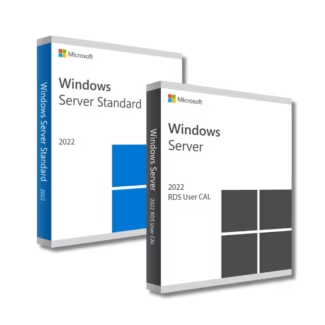
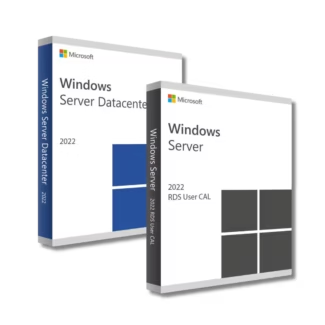
Windows Server RDS Licenses – Secure Remote Access for Modern Workplaces
Windows Server Remote Desktop Services (RDS) is a Microsoft technology that allows users to access desktops and applications remotely from almost anywhere. By centralizing applications and desktops on a server, RDS enables organizations to provide secure, scalable, and efficient remote access to employees, partners, and contractors.
This category brings together a full range of Windows Server RDS Licenses, covering both recent and legacy versions. Whether you are building a modern remote work infrastructure or maintaining compatibility with an existing Windows Server environment, these licenses provide the flexibility and control needed for reliable remote access.
Available Windows Server RDS Versions
Windows Server RDS licenses are version-specific and must match your installed Windows Server version. Below are the main RDS versions available in this category.
Windows Server RDS 2025
Windows Server RDS 2025 Licenses are designed for next-generation server environments that prioritize security, performance, and scalability. This version is ideal for organizations planning long-term remote access strategies.
Windows Server RDS 2022
Windows Server RDS 2022 Licenses offer enhanced security features and improved performance, making them a popular choice for modern business infrastructures.
Windows Server RDS 2019
Windows Server RDS 2019 Licenses remain widely used due to their stability and compatibility with many existing Windows Server deployments.
Earlier Windows Server RDS Versions
For legacy environments and compatibility needs, older RDS versions are also available, including Windows Server RDS 2016 Licenses, Windows Server RDS 2012 R2 Licenses, Windows Server RDS 2012 Licenses, and Windows Server RDS 2008 R2 Licenses. These editions are suitable for organizations maintaining older server infrastructures.
What Are Windows Server RDS Licenses?
Windows Server RDS Licenses, often referred to as RDS CALs (Client Access Licenses), grant users or devices the right to connect remotely to a Windows Server. Without RDS licenses, remote desktop connections beyond basic administrative access are not permitted.
RDS licenses are essential for businesses that rely on:
- Remote work and telecommuting
- Centralized application hosting
- Shared desktops for multiple users
- Secure access to internal systems from external locations
How to Choose the Right Windows Server RDS License
Selecting the correct RDS license depends on several important factors related to your server environment and usage model.
Server Version Compatibility
RDS licenses must match the version of Windows Server installed. For example, Windows Server RDS 2022 licenses are required for a Windows Server 2022 environment. Always ensure version compatibility to avoid activation issues.
User CAL vs Device CAL
RDS licenses are typically available as User CALs or Device CALs. User CALs allow a specific user to access the server from multiple devices, while Device CALs allow a specific device to be used by multiple users. The best option depends on how your organization operates.
Scalability and Growth
Consider your current and future remote access needs. Choosing a newer RDS version can provide better scalability, security updates, and long-term support as your organization grows.
Understanding License Types: OEM vs Retail
While RDS licenses are primarily CAL-based, the underlying Windows Server license type can affect deployment flexibility.
OEM Licenses
OEM licenses are tied to the original server hardware and cannot be transferred. They are cost-effective for dedicated servers that will not be replaced frequently.
Retail Licenses
Retail licenses offer greater flexibility and can be transferred to new hardware if the server is upgraded or replaced. This option is suitable for businesses planning future infrastructure changes.
Installation and Activation Overview
Installing Windows Server RDS involves configuring the Remote Desktop Services role on your server. After setup, RDS licenses are added through the Remote Desktop Licensing Manager.
Activation requires entering the provided product keys and assigning the licenses to users or devices. Once activated, users can securely connect to the server using Remote Desktop.
Why Buy Windows Server RDS Licenses from Digital License
Digital License offers genuine Windows Server RDS Licenses with fast digital delivery, competitive pricing, and clear guidance for setup and activation. All licenses are suitable for professional and long-term use.
Digital License is a verified Microsoft Partner, ensuring authenticity, compliance, and customer confidence. Microsoft Partner ID : 7033487
By choosing Digital License, organizations gain access to trusted remote access solutions backed by professional support and a secure purchasing experience.