











- Description
- Minimum Requirements
- Specifications
- Additional information
- Reviews
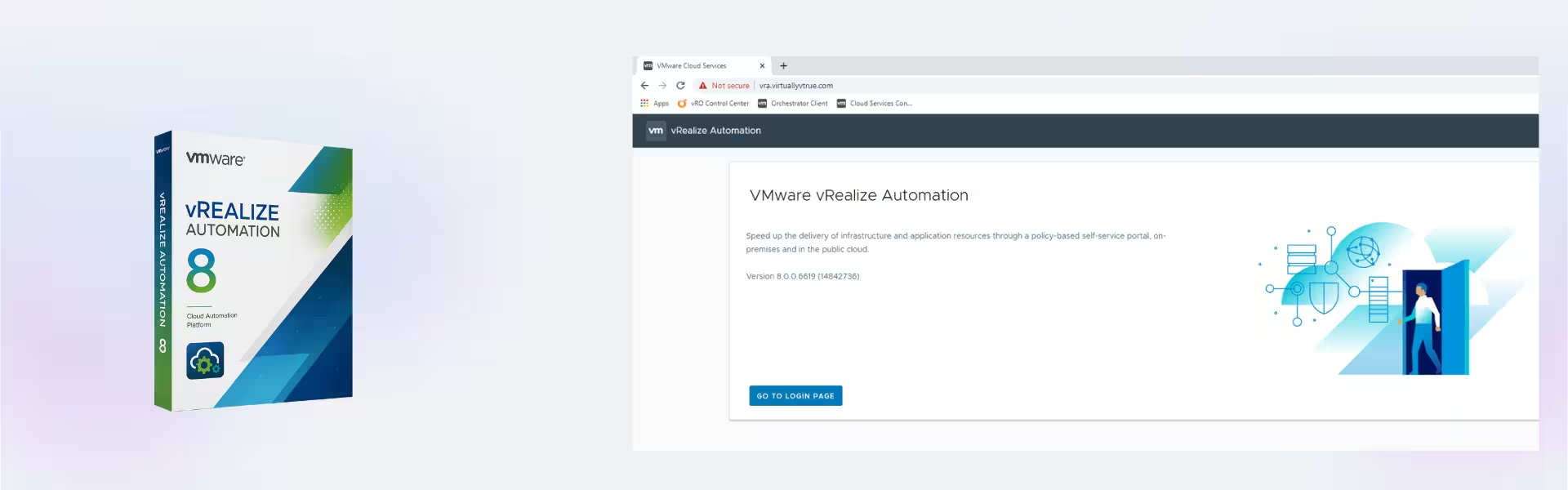
VMware vRealize Automation 8 gives organizations a powerful cloud automation solution for faster service delivery and easier resource control. It includes instant digital delivery, lifetime usage, and no subscription.
Also, it runs on Photon OS and helps IT professionals build clear workflows, deliver resources faster, and manage daily tasks with less manual work.
Overview of VMware vRealize Automation 8
- Platform: Photon OS
- License Type: Retail
- Devices: 1 Device/ 5 Devices/ 10 Devices/ 20 Devices
- License Duration: Lifetime
- Activation Method: Online activation
- Delivery: Instant digital delivery via email
- Support: Email and remote assistance
- Language Support: Multi-language
- Compliance: Genuine software licenses sourced through compliant distribution channels in line with EU laws (EU Directive 2009/24/EC) and industry standards.
Key Features
- Cloud automation: Automate resource delivery, so your team saves time and reduces manual tasks.
- Workflow control: Build clear and repeatable steps, which helps users deliver services with fewer errors.
- Resource management: Track and control usage, so your organization can avoid waste and improve planning.
- Self-service access: Give approved users faster access to resources while you keep rules in place.
- Flexible device options: Choose 1 Device, 5 Devices, 10 Devices, or 20 Devices to match your setup.
- Lifetime usage: Use VMware vRealize Automation 8 after activation without monthly or yearly fees.
- Instant digital delivery: Receive your product by email and start setup quickly.
Main Features Explained
Cloud Automation
VMware vRealize Automation 8 helps users automate resource requests and delivery steps. As a result, organizations can save time and reduce repetitive work.
Self-Service Delivery
Users can request approved resources through a clear process. Therefore, service delivery becomes faster, easier, and more consistent.
Policy-Based Control
The platform lets you set rules for resource use and delivery. This helps reduce mistakes and keeps your environment easier to manage.
Multi-Device Flexibility
With 1 Device, 5 Devices, 10 Devices, and 20 Devices options, this product fits small, growing, and larger IT environments.
Why Choose VMware vRealize Automation 8?
VMware vRealize Automation 8 suits IT professionals, technical users, and organizations that need automation, clear control, and faster delivery. It helps reduce delays, improve daily work, and simplify cloud operations.
For more professional software options, explore our computer programs category. Also, you can compare it with VMware vRealize Operations Management 7 if you need stronger monitoring and performance insight.
For broader VMware tools, VMware vRealize Suite 2019 may help with wider management needs. In addition, VMware vRealize Network Insight supports better network visibility.
VMware vRealize Automation 8 vs Alternatives
Compared with VMware vRealize Operations Management 7, VMware vRealize Automation 8 focuses on automation, resource delivery, and workflow control. Operations Management 7 focuses more on monitoring, capacity, and performance data.
Compared with VMware vRealize Network Insight, this product works better for service automation and cloud delivery. Network Insight focuses mainly on network views and issue tracking.
System Compatibility
VMware vRealize Automation 8 works with Photon OS environments. Before setup, check your system resources, storage, network access, and VMware environment support.
License Type Explanation
This product comes as a Retail license. It is a one-time purchase with lifetime usage after activation and no subscription.
You can install and activate the Retail license only once on the selected device. You cannot transfer it or use it again on another device. If you uninstall the software or format the device, you lose the license.
Installation & Activation
- Complete your order and receive instant digital delivery by email.
- Prepare your compatible Photon OS environment.
- Install VMware vRealize Automation 8 on the selected device.
- Enter the provided activation details during setup.
- Activate online and confirm that the product works correctly.
- Contact support if you need email or remote assistance.
Why Buy From Us
Digital License provides genuine software licenses with secure checkout, fast delivery, and helpful support.
- Genuine licenses from compliant distribution channels
- Secure payment process
- Instant delivery via email
- Email and remote assistance included
- Compliance with EU Directive 2009/24/EC and industry standards
Trust Section
We focus on secure transactions, fast digital delivery, and helpful support. Therefore, you can order with confidence and get help when you need it.
FAQ
Is VMware vRealize Automation 8 delivered instantly?
Yes, you receive digital delivery by email after purchase.
Does VMware vRealize Automation 8 include lifetime usage?
Yes, you get lifetime usage after activation with no subscription required.
How do I activate VMware vRealize Automation 8?
You activate it online using the provided activation details.
Can I transfer this Retail license to another device?
No, you cannot transfer this Retail license after activation. It works only on the activated device.
What happens if I format the device?
If you format the device or uninstall the software, you lose the Retail license and cannot reuse it.
Does VMware vRealize Automation 8 support Photon OS?
Yes, it works with Photon OS environments.
Is this product legal in the EU?
Yes, it comes through compliant distribution channels in line with EU Directive 2009/24/EC and industry standards.
Do you provide setup support?
Yes, we provide email and remote assistance.
| Component | Requirement |
| Processor | Minimum 8 vCPU per node |
| RAM | Minimum 32 GB RAM per node |
| Storage | Minimum 250 GB disk space per node (thin provisioned) |
| Operating System | Photon OS (included with vRA appliance) |
| Hypervisor | VMware vSphere 6.7 or later |
| Network | Static IP, DNS, and NTP properly configured |
| Display | Web-based UI (modern browser such as Chrome, Edge, or Firefox) |
| Specification | Detail |
|---|---|
| Activation | Single PC (one-time activation) |
| License validity | Lifetime (does not expire after activation) |
| Delivery method | By email within 15 minutes |
| Languages | Multilingual |
Additional information
| Devices | 1 Device, 5 Devices, 10 Devices, 20 Devices |
|---|

1 – Buy
Shop securely with SSL encryption.

2 – Receive
You will receive the license key and download link.

3 – Download
Download and install the software.

4 – Activate
Enter the license key to the software.