











- Description
- Minimum Requirements
- Specifications
- Additional information
- Reviews
Microsoft Word 2016 Mac is a professional word processing software for Mac users who need reliable document creation, editing, and formatting tools. It includes instant delivery, lifetime usage, and no subscription, making it a practical choice for long term productivity.
Designed for students, professionals, businesses, and home users, Microsoft Word 2016 Mac helps you create polished documents, reports, letters, resumes, and academic work with confidence. After purchase, your digital product is delivered by email so you can begin quickly.
Overview of Microsoft Word 2016 Mac
- Platform: MacOS
- Edition: Word 2016
- License Type: File
- Devices: 1/ 5 Devices
- License Duration: Lifetime
- Activation Method: Online activation
- Delivery: Instant digital delivery via email
- Support: Email and remote assistance
- Language Support: Multi-language
- Compliance: Genuine software licenses sourced through compliant distribution channels in line with EU laws and industry standards
Key Features
- Professional document creation: Write, edit, and format documents with reliable tools that help you produce clean reports, letters, resumes, and business files.
- Advanced formatting options: Adjust fonts, spacing, styles, tables, and layouts to create documents that look polished and easy to read.
- Built-in templates: Start faster with ready made layouts for resumes, letters, reports, and other documents, reducing setup time and improving presentation.
- Review and proofreading tools: Use spelling, grammar, comments, and track changes to improve accuracy and collaborate more effectively.
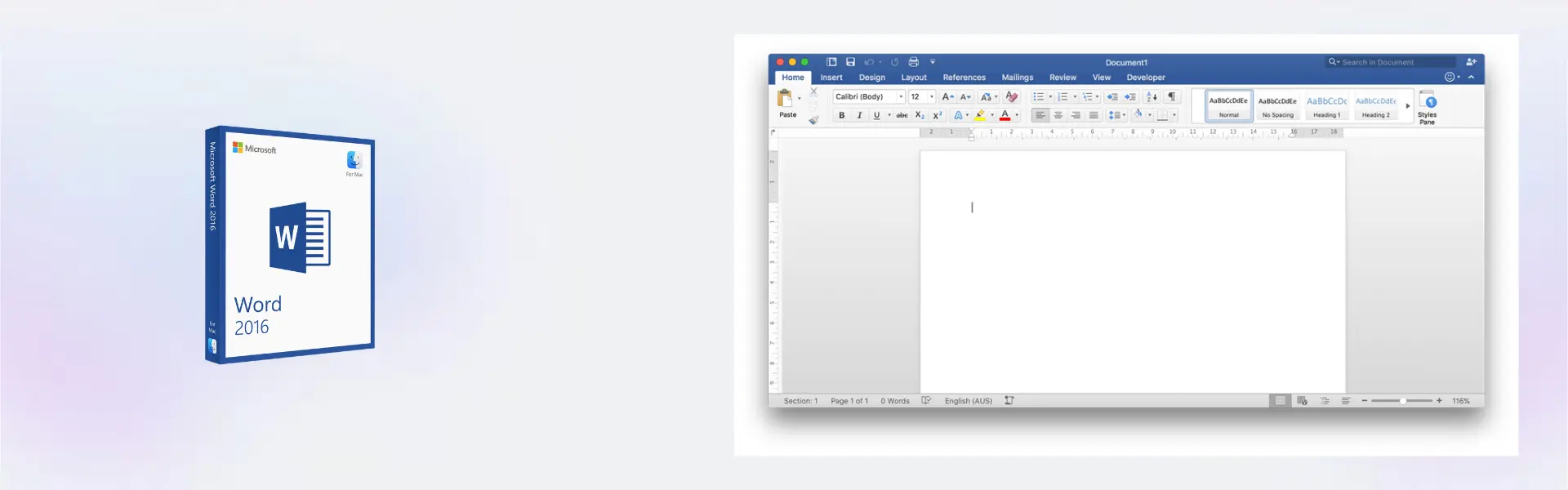
- Mac optimized experience: Work in a familiar Microsoft Word interface designed for macOS, giving Mac users stable and comfortable productivity.
- Lifetime usage: Pay once and use the software long term without monthly or yearly subscription costs.
- Multi-language support: Create and edit documents in different language settings, making it suitable for international users and workplaces.
Main Features Explained
Professional Writing and Editing
Microsoft Word 2016 Mac gives users dependable tools for writing, editing, and organizing documents. This matters because clear, well structured documents are essential for business communication, academic work, and daily productivity.
Document Formatting Tools
Word 2016 includes formatting features for headings, fonts, tables, page layouts, margins, and spacing. These tools help you create professional documents that are easy to read and suitable for printing, sharing, or submitting online.
Review and Collaboration Features
With comments and track changes, users can review edits, suggest improvements, and manage feedback in a clear way. This is useful for teams, students, editors, and businesses that work on shared documents.
Templates for Faster Work
Built-in templates help you start common document types quickly. This saves time when creating resumes, reports, formal letters, project documents, and other structured files.
File Compatibility
Microsoft Word 2016 Mac supports widely used Word document formats, including DOCX files. This makes it easier to work with clients, colleagues, schools, and businesses that rely on Microsoft Office documents.
Why Choose Microsoft Word 2016 Mac?
Microsoft Word 2016 Mac is ideal for users who need reliable document software for macOS with lifetime usage and no subscription. It is suitable for students, writers, office workers, business owners, freelancers, teachers, and home users who need dependable writing and editing tools.
If you want to compare document software options for macOS, explore our full selection of Microsoft Word for Mac licenses. This helps you choose the right Word edition based on your device setup, workflow, and budget.
For users who want a newer version with updated features, Microsoft Word 2019 Mac is a useful comparison. However, Word 2016 remains a strong option for users who want proven document tools, stable performance, and long term access.
Microsoft Word 2016 Mac vs Alternatives
Compared with Microsoft Word 2021 Mac, Microsoft Word 2016 Mac is better suited for users who need essential document creation tools without requiring the newest interface or latest productivity updates.
Compared with Microsoft Word 2024 Mac, Word 2016 is a more classic and practical choice for basic to professional writing tasks. Word 2024 is better for users who want the newest version, while Word 2016 remains reliable for everyday document creation and editing.
System Compatibility
Microsoft Word 2016 Mac is designed for compatible macOS devices. Before installing, make sure your Mac supports Word 2016 and has enough available storage space for installation and future document use.
This product is suitable for users who need a locally installed Word application on Mac. It works well for creating documents, editing shared files, preparing reports, writing resumes, and working with common Microsoft Word formats.
License Type Explanation
This product is supplied as a File license for the selected device option. It is a one-time purchase with lifetime usage, so you can use the software long term without monthly or yearly subscription fees.
The product is intended for activation on the purchased number of devices, either 1 or 5 devices depending on the option selected. Transferability depends on the delivered file license conditions, and usage must remain within the purchased activation allowance.
Once activated, the software does not expire under normal use. Official Microsoft download links are used where applicable, and online activation is supported with email and remote assistance if help is needed.
Installation and Activation
- Complete your order and check your email for the instant digital delivery.
- Follow the provided instructions to download Microsoft Word 2016 Mac.
- Open the installer on your Mac and complete the installation process.
- Launch Word after installation is finished.
- Activate online using the license details included with your order.
- Contact our support team if you need help with setup or activation.
Why Buy From Us?
Digital License provides genuine software licenses with secure payment, fast delivery, and professional support. We focus on a safe and reliable buying experience, from checkout to activation.
- Genuine licenses: Software licenses are sourced through compliant distribution channels.
- Secure payment: Checkout is protected for a safe purchase experience.
- Instant delivery: Product details are delivered digitally by email.
- Support included: Email and remote assistance are available for installation and activation.
- Legal compliance: Distribution follows EU laws, including EU Directive 2009/24/EC, and industry standards.
Digital License Is a Verified Microsoft Partner
Digital License is an official Microsoft Partner (ID: 7033487), recognized for delivering genuine software licenses and verified solutions across Europe. You can verify our partnership directly on the Microsoft Partner Directory. This ensures every license you purchase is authentic, secure, and fully compliant with Microsoft standards and applicable EU. laws (EU Directive 2009/24/EC) and industry standards.
Frequently Asked Questions
Is Microsoft Word 2016 Mac delivered instantly?
Yes. After your order is completed, the digital product details are delivered by email so you can begin installation quickly.
Does Microsoft Word 2016 Mac require a subscription?
No. This product is a one-time purchase with lifetime usage, so there are no monthly or yearly subscription payments.
How do I activate Microsoft Word 2016 Mac?
Activation is completed online using the instructions and license details provided after purchase.
Is Microsoft Word 2016 Mac compatible with macOS?
Yes. It is designed for compatible Mac devices. Please check that your macOS version supports Word 2016 before installing.
Can I use Microsoft Word 2016 Mac on more than one device?
The product is available for 1 or 5 devices depending on the option selected at purchase. It should only be used within the purchased device allowance.
Can the license be transferred to another Mac?
Transferability depends on the delivered file license conditions. The product should be activated and used according to the purchased device option.
Is this product legal to use?
Yes. Digital License supplies genuine software licenses sourced through compliant distribution channels in line with EU laws, EU Directive 2009/24/EC, and industry standards.
Do you provide support after purchase?
Yes. Email and remote assistance are available if you need help with installation or online activation.
| Component | Requirement |
| Processor | Intel processor-based Mac |
| RAM | 4 GB RAM or more |
| Storage | 6 GB of available disk space |
| Operating System | Mac OS X 10.10 or later |
| Graphics | No specific graphics card required |
| Display | 1280 × 800 screen resolution or higher |
| Specification | Detail |
|---|---|
| Activation | 1 device / 5 devices |
| License validity | Lifetime (does not expire after activation) |
| Delivery method | By email within 15 minutes |
| Languages | Multilingual |
Additional information
| Devices | 1 Device, 5 Devices |
|---|

1 – Buy
Shop securely with SSL encryption.

2 – Receive
You will receive the license key and download link.

3 – Download
Download and install the software.

4 – Activate
Enter the license key to the software.
Microsoft Visual Studio 2019 Enterprise
Microsoft Office 2016 Professional Plus
Microsoft Office 2019 Professional Plus
Microsoft Office 2019 Professional Plus Bind