







































- Description
- Minimum Requirements
- Specifications
- Reviews
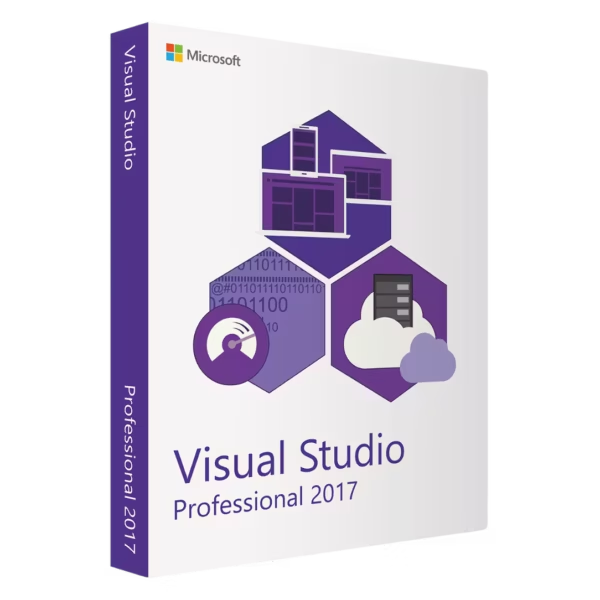
Microsoft Visual Studio 2017 Professional provides a powerful development environment for professional developers, freelancers, software teams, and businesses. Build, debug, test, and manage applications with integrated coding tools designed for productive development workflows. You also get instant digital delivery, lifetime usage, and no subscription fees.
Overview of Microsoft Visual Studio 2017 Professional
- Platform: Windows
- Edition: Professional
- License Type: Retail
- Devices: 1 device
- License Duration: Lifetime
- Activation Method: Online activation
- Delivery: Instant digital delivery via email
- Support: Email and remote assistance
- Language Support: Multi-language
- Compliance: Genuine software licenses sourced through compliant distribution channels in line with EU laws and industry standards
Key Features
- Professional code editor: Write and organize source code in a structured IDE. This helps developers work efficiently across small and complex projects.
- IntelliSense: Receive contextual code suggestions and completion while programming. Therefore, common coding tasks become faster and easier to manage.
- Integrated debugging: Set breakpoints, inspect variables, and trace application behavior directly inside Visual Studio. This helps identify problems before deployment.
- Code navigation and refactoring: Move through large codebases and improve existing code with integrated development tools. As a result, maintaining applications becomes more manageable.
- Project and solution management: Organize related files, libraries, resources, and settings in structured solutions. This keeps professional development projects easier to maintain.
- Source control integration: Work with supported version-control workflows from within the development environment. This helps teams track changes and collaborate more effectively.
- NuGet package management: Add and manage supported development libraries without handling every dependency manually. This simplifies application setup and maintenance.
- Lifetime usage: Continue using the activated installation without recurring subscription payments. This makes it a practical one-time purchase.
Main Features Explained
IntelliSense Code Assistance
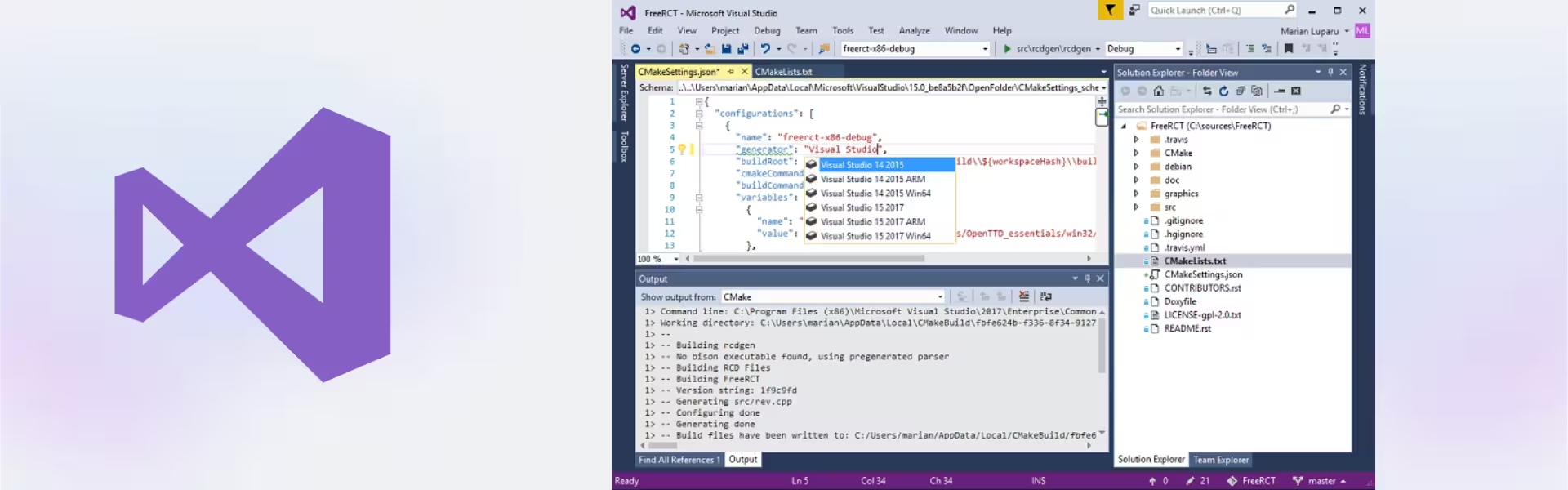
IntelliSense provides contextual suggestions as you write code. It can help complete names, methods, properties, and other programming elements.
Therefore, developers can spend less time typing repetitive code. It also makes larger projects easier to navigate.
Integrated Debugging
The built-in debugging environment helps you investigate application behavior without leaving the IDE. You can set breakpoints, inspect values, and follow code execution.
This makes troubleshooting more efficient. As a result, developers can find and correct problems earlier in the development process.
Code Navigation and Refactoring
Visual Studio provides tools for moving through code and improving existing project structures. Developers can locate definitions, references, and related code more efficiently.
This matters when maintaining large or long-term software projects. Cleaner navigation can reduce time spent searching through files manually.
Project and Solution Management
Projects and solutions keep source files, resources, libraries, and settings organized within one workspace. This provides a clearer structure for application development.
Therefore, developers can manage multiple components while keeping related development work together.
Source Control and Package Tools
Integrated source-control workflows help developers track code changes. Meanwhile, NuGet package management simplifies the use of supported development libraries.
Together, these tools support more organized and efficient development workflows.
Why Choose Microsoft Visual Studio 2017 Professional?
Microsoft Visual Studio 2017 Professional is well suited to professional developers, freelancers, software teams, students, and businesses. It combines coding, debugging, project organization, and development productivity tools in one integrated environment.
You can use it to build new applications, maintain established software, troubleshoot code, and manage structured development projects. In addition, the Professional edition provides a focused balance of powerful features and practical everyday development tools.
Explore our Microsoft Visual Studio 2017 options to compare available editions and choose the environment that best fits your workflow.
If your development team requires a more advanced edition, compare this product with Microsoft Visual Studio 2017 Enterprise. Enterprise is designed for more demanding development scenarios, while Professional remains a strong choice for everyday professional software development.
Once activated, this product provides lifetime usage. In addition, there are no recurring subscription payments.
Microsoft Visual Studio 2017 Professional vs Alternatives
Microsoft Visual Studio 2017 Professional provides an integrated environment for professional coding, debugging, project management, and application development. It is a practical choice for developers who prefer the Visual Studio 2017 toolset.
Visual Studio 2017 Enterprise offers additional capabilities for larger and more demanding development scenarios. However, the Professional edition provides a strong balance for individual developers and smaller software teams.
You can also consider Microsoft Visual Studio 2019 Professional if you prefer a newer development generation. The right option depends on your project requirements, existing codebase, and preferred toolset.
System Compatibility
Microsoft Visual Studio 2017 Professional is designed for compatible Windows computers. Before installation, check that your operating system, processor, memory, and available storage meet the requirements for your selected development workloads.
Also, consider the SDKs, frameworks, and project types required by your applications. Existing Visual Studio installations or development components may need attention before setup.
Finally, complete your Windows configuration before activation. This helps reduce unnecessary installation or activation issues later.
License Type Explanation
This product uses a Retail license. Under the terms of this specific offering, it can be installed and activated once on one computer.
After successful activation, it provides lifetime usage and does not expire. It is also a one-time purchase, so there are no recurring subscription payments.
However, this Retail license cannot be transferred or reused on another computer. Therefore, choose the final device before activation.
If Visual Studio is uninstalled, the license is lost. The same applies if the activated computer is formatted.
Installation files are provided through official Microsoft download links. This keeps the setup process straightforward.
Installation & Activation
- Check that your Windows computer meets the Visual Studio 2017 system requirements.
- Download the installation files from the provided official Microsoft download source.
- Install Microsoft Visual Studio 2017 Professional on the intended computer.
- Select the development workloads and components required for your projects.
- Connect to the internet and complete the required online activation.
- If needed, contact our team for email or remote assistance.
Why Buy From Us?
Digital License provides genuine software licenses, secure payments, fast digital delivery, and professional support. Therefore, you can purchase and activate your software with confidence.
- Genuine licenses sourced through compliant distribution channels
- Secure payment for a protected checkout experience
- Instant digital delivery directly via email
- Professional support through email and remote assistance
- EU compliance in line with EU laws, including EU Directive 2009/24/EC, and industry standards
Digital License Is a Verified Microsoft Partner
Digital License is an official Microsoft Partner (ID: 7033487), recognized for delivering genuine software licenses and verified solutions across Europe. You can verify our partnership directly on the Microsoft Partner Directory. This ensures every license you purchase is authentic, secure, and fully compliant with Microsoft standards and applicable EU. laws (EU Directive 2009/24/EC) and industry standards.
Frequently Asked Questions
How do I activate Microsoft Visual Studio 2017 Professional?
Install the software on the intended Windows computer. Then connect to the internet and complete the required online activation.
How is Microsoft Visual Studio 2017 Professional delivered?
You receive it through instant digital delivery via email. Therefore, there is no physical package or shipping delay.
Does Microsoft Visual Studio 2017 Professional require a subscription?
No. This offering is a one-time purchase with lifetime usage after successful activation.
Who should use Microsoft Visual Studio 2017 Professional?
It is suitable for professional developers, freelancers, software teams, students, and businesses working on compatible development projects.
What development tools does it provide?
It includes tools for code editing, IntelliSense, debugging, code navigation, project management, source control workflows, and package management.
Can I transfer this Retail activation to another computer?
No. Under the terms of this specific Retail offering, it is intended for one-time activation on one computer and cannot be transferred or reused.
What happens if I uninstall Microsoft Visual Studio 2017 Professional?
If the software is uninstalled from the activated computer, the license is lost and cannot be reused. Therefore, keep the activated installation in place.
What happens if I format the computer?
If the activated computer is formatted, the license is lost. Complete your final Windows setup before activation.
How does the Professional edition compare with Enterprise?
Professional provides powerful tools for everyday software development. Enterprise is aimed at more demanding development and larger team scenarios, while Microsoft Visual Studio 2017 Professional offers a focused environment for professional coding and application development.
Is purchasing this software compliant with EU law?
Digital License supplies genuine software licenses through compliant distribution channels in line with applicable EU laws, including EU Directive 2009/24/EC, and industry standards.
| Component | Requirement |
| Processor | 1.8 GHz or faster processor; dual-core or better recommended |
| RAM | Minimum: 2 GB; Recommended: 8 GB or more (2.5 GB minimum if running on a virtual machine) |
| Storage | Minimum of 800 MB up to 210 GB of available space, depending on installed features |
| Operating System | Windows 7 SP1 (with latest updates), Windows 8.1, Windows 10, or Windows Server 2012 R2 / 2016 |
| Graphics | DirectX 9-capable graphics card with a minimum display resolution of 720p; 1080p or higher recommended |
| Display | Minimum resolution 1280 × 720; 1920 × 1080 or higher recommended |
| Additional Requirements | .NET Framework 4.5.2 or later; Administrator rights required for installation; Internet access required for updates and online features |
| Supported Workloads | Includes workloads for .NET, C++, Python, Node.js, JavaScript, Azure, and data science; additional components may require extra disk space |
| Specification | Detail |
|---|---|
| Activation | Single PC (one-time activation) |
| License validity | Lifetime (does not expire after activation) |
| Delivery method | By email within 15 minutes |
| Languages | Multilingual |

1 – Buy
Shop securely with SSL encryption.

2 – Receive
You will receive the license key and download link.

3 – Download
Download and install the software.

4 – Activate
Enter the license key to the software.
Microsoft Visual Studio 2019 Enterprise
Microsoft Visual Studio 2022 Enterprise
Microsoft Office 2019 Home & Business Mac
Microsoft Office 2021 Home & Business Mac
Microsoft Office 2024 Standard
