








































- Description
- Minimum Requirements
- Specifications
- Reviews
Microsoft Publisher 2016 helps you create polished brochures, flyers, newsletters, and business cards on your Windows PC. Get instant delivery and lifetime usage on your licensed computer. Make a one-time purchase with no subscription fees.
Overview of Microsoft Publisher 2016
- Platform: Windows
- Edition: Publisher 2016 Standalone
- License Type: LTSC
- Devices: 1 device
- License Duration: Lifetime
- Activation Method: Online activation
- Delivery: Instant digital delivery via email
- Support: Email and remote assistance
- Language Support: Multi-language
- Compliance: Genuine software licenses sourced through compliant distribution channels in line with EU laws and industry standards
Key Features
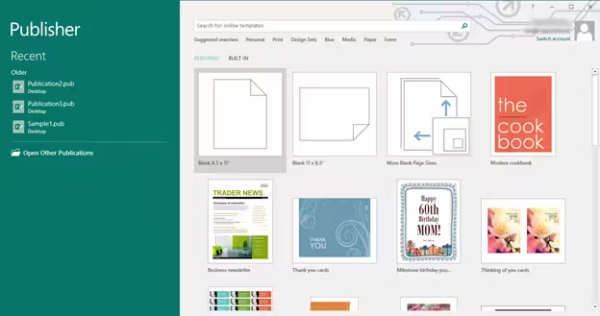
- Publication templates: Choose a starting layout for brochures, cards, or newsletters. Add your content to prepare materials faster.
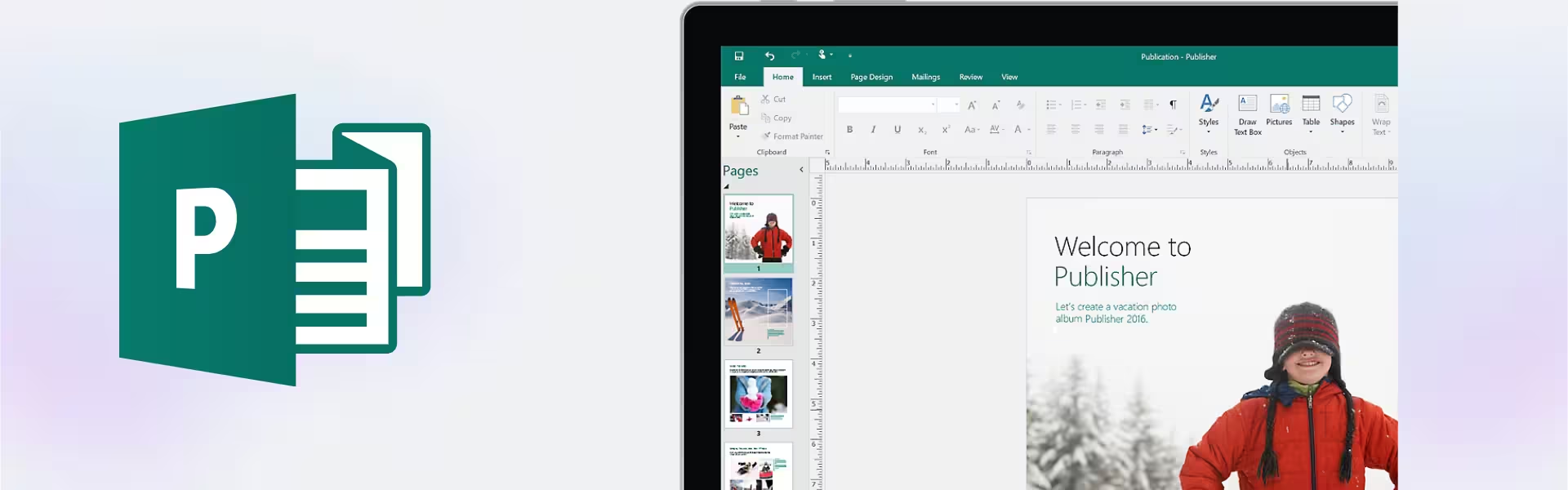
- Flexible page layouts: Move text boxes, pictures, and shapes independently. Arrange each page around your message.
- Text formatting: Adjust fonts, spacing, and alignment. Create clear headings and make articles easier to read.
- Picture editing: Crop and resize images within your publication. Fit product photos and illustrations neatly into your design.
- Mail merge: Insert names and addresses from a recipient list. Prepare personalized copies with less manual typing.
- PDF export: Save completed publications as PDFs. Share your work with people who do not have Publisher.
- Editable design files: Save layouts for future use. Refresh prices, dates, and messages without rebuilding every page.
Main Features Explained
Templates That Save Setup Time
Start with a template that fits your project. Then replace the sample text and pictures with your own. This gives you a practical starting point for event flyers, business cards, and customer newsletters.
Control over Page Layout
Place text and images where they work best. For example, make a special offer stand out or divide a newsletter into readable columns. These controls help you guide readers through your content.
Personalized Content with Mail Merge
Connect a suitable data source to your publication. Next, add fields for names, addresses, or other recipient details. Mail merge helps you create customized copies without editing each document separately.
PDF Sharing for Finished Publications
Export your design to PDF when it is ready to share. Recipients can view it with a compatible PDF reader. Keep the original Publisher file so you can update the design later.
Why Choose Microsoft Publisher 2016?
Microsoft Publisher 2016 suits small businesses, office administrators, clubs, and community groups with established publishing workflows. Use it to create service brochures, event notices, labels, and regular newsletters.
Reusable layouts make recurring projects easier to manage. Simply change the content for your next campaign or announcement. Browse our Microsoft Publisher products to compare editions for your Windows setup.
If you use an Office 2021 environment, consider Microsoft Publisher 2021 as a later release. Check the installation requirements before choosing a version.
Microsoft Publisher 2016 vs Alternatives
Compared with Publisher 2021
Both versions provide tools for page design, templates, and personalized publications. Publisher 2021 belongs to a later release generation. However, a newer release does not mean it can install alongside every existing Office package.
Microsoft support for Publisher 2016 ended in October 2025. Support for Publisher 2021 ends in October 2026. Neither perpetual purchase includes unlimited future upgrades.
Compared with Publisher 2019
The later Microsoft Publisher 2019 offers a familiar desktop publishing workflow from the Office 2019 generation. Both releases are now outside Microsoft support. Choose according to your existing software and installation needs.
System Compatibility
Microsoft Publisher 2016 is a Windows desktop application. It does not install natively on macOS, Chromebooks, Android, or iOS.
Before purchase, check your Windows version and any Office applications already installed. Installation compatibility depends on the Office release, installation technology, and 32-bit or 64-bit architecture.
Do not assume this package will install alongside Microsoft 365 Apps or a different Office generation. Conflicting applications may need removal before setup.
Microsoft support ended in October 2025. The activated software can continue to operate, but Microsoft no longer provides ongoing security updates or fixes. Lifetime usage does not guarantee compatibility with future Windows releases.
License Type Explained
This offer supplies an LTSC license for one computer. You pay once and use the activated installation without monthly or annual subscription charges.
- Single computer: Install and activate the software on one licensed PC.
- Non-transferable: Under this offer’s terms, you cannot move the license to another computer.
- Lifetime usage: The activated license does not expire while the licensed installation remains in place.
- No reuse: Under the supplied terms, uninstalling the software or formatting the device causes the license to be lost.
- Company-hosted downloads: Digital License prepares installation downloads under its Microsoft partnership and hosts them on company servers.
These conditions apply to this specific offer. The license duration is separate from Microsoft’s product support lifecycle.
Installation & Activation
- Open your delivery email and find the installation instructions and product key.
- Check compatibility and remove conflicting Office software if required. Then restart your PC.
- Download the supplied installer and follow the setup prompts.
- Open Microsoft Publisher 2016 and enter your product key when prompted.
- Connect to the internet and complete activation. You can then create your first publication.
Why Buy From Us?
Digital License makes purchasing straightforward. We provide digital fulfillment and practical help with setup and activation.
- Genuine licenses: Software sourced through compliant distribution channels.
- Secure payment: Complete your purchase through our secure checkout.
- Helpful support: Get guidance when installation or activation needs attention.
- Compliance commitment: Sourcing follows applicable EU laws, including EU Directive 2009/24/EC, and industry standards.
Digital License Is a Verified Microsoft Partner
Digital License is an official Microsoft Partner (ID: 7033487), recognized for delivering genuine software licenses and verified solutions across Europe. You can verify our partnership directly on the Microsoft Partner Directory. This ensures every license you purchase is authentic, secure, and fully compliant with Microsoft standards and applicable EU. laws (EU Directive 2009/24/EC) and industry standards.
Frequently Asked Questions
How do I activate Microsoft Publisher 2016?
Install the supplied software and open Publisher. Enter your product key when prompted, then complete activation while connected to the internet.
How will I receive my purchase?
Your setup instructions and activation details arrive by email. Check your spam or junk folder if you cannot find the message.
Does this product require a subscription?
No. You pay once for continued use of the activated installation on your licensed computer.
Can I install it on a Mac?
No. This edition is for Windows PCs and does not install natively on macOS.
Can I keep my existing Office software?
That depends on its version, installation technology, and architecture. Check compatibility before setup. You may need to remove conflicting Office applications.
Can I transfer the license to another PC?
No. Under this offer’s terms, the license is limited to one computer and cannot be transferred.
What happens if I uninstall Publisher or format my computer?
Under the supplied terms, the license is lost and cannot be reused for a fresh installation.
Does lifetime usage include Microsoft updates?
No. Microsoft support ended in October 2025. Lifetime usage describes the activated license, rather than ongoing updates or technical support from Microsoft.
Are the licenses genuinely sourced?
Digital License supplies genuine software licenses through compliant distribution channels. Keep your invoice and purchase documents as a record of your transaction.
Can people view my publications without Publisher?
Yes. Export the finished publication as a PDF. Recipients can open it with a compatible PDF reader.
| Component | Requirement |
| Processor | 1 GHz or faster, x86- or x64-bit processor with SSE2 instruction set |
| RAM | 2 GB RAM for 32-bit; 4 GB for 64-bit |
| Storage | At least 3 GB of available disk space |
| Operating System | Windows 7 SP1, Windows 8, Windows 8.1, Windows 10, Windows Server 2008 R2, Windows Server 2012, or Windows Server 2012 R2 |
| Graphics | DirectX 10 graphics card required for graphics hardware acceleration |
| Display | 1280 × 800 screen resolution |
| Specification | Detail |
|---|---|
| Activation | Single PC (one-time activation) |
| License validity | Lifetime (does not expire after activation) |
| Delivery method | By email within 15 minutes |
| Languages | Multilingual |

1 – Buy
Shop securely with SSL encryption.

2 – Receive
You will receive the license key and download link.

3 – Download
Download and install the software.

4 – Activate
Enter the license key to the software.
Microsoft Project 2019 Professional
Microsoft Office 2013 Professional Plus
Microsoft Office Home & Student 2016
Microsoft Office 2019 Professional Plus
Microsoft Office 2019 Home & Business Mac
Microsoft Office 2021 Professional Plus Bind
