











- Description
- Minimum Requirements
- Specifications
- Additional information
- Reviews
Microsoft Outlook 2019 Mac is a professional email and productivity solution designed for Mac users who need reliable communication and organization tools without ongoing subscription costs. Enjoy instant digital delivery, lifetime usage, and seamless productivity with a one-time purchase.
Whether you manage multiple inboxes, schedule meetings, or organize contacts daily, Microsoft Outlook 2019 Mac delivers a clean and efficient workspace optimized specifically for macOS devices.
Overview of Microsoft Outlook 2019 Mac
- Platform: MacOS
- Edition: Outlook 2019
- License Type: Retail
- Devices: 1 Device/ 5 Devices
- License Duration: Lifetime
- Activation Method: Online activation
- Delivery: Instant digital delivery via email
- Support: Email and remote assistance
- Language Support: Multi-language
- Compliance: Genuine software licenses sourced through compliant distribution channels in line with EU laws (EU Directive 2009/24/EC) and industry standards.
Key Features
- Focused inbox technology automatically separates important emails from less relevant messages, helping users stay organized and productive.
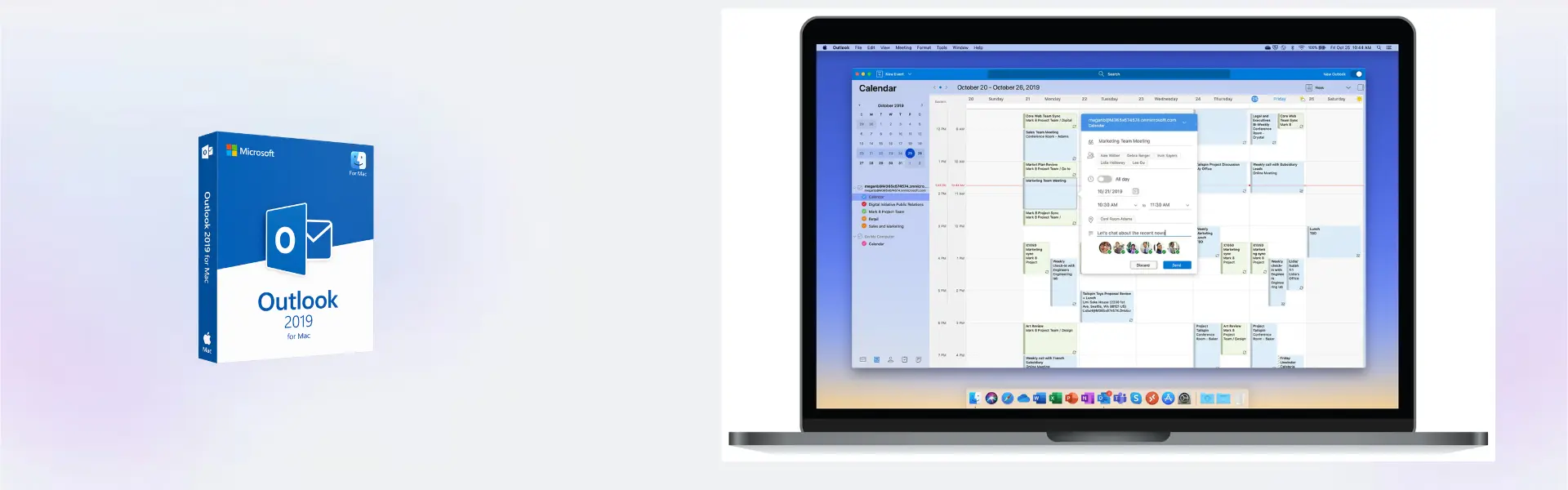
- Integrated calendar management simplifies scheduling meetings, reminders, and appointments directly inside the Outlook interface.
- Enhanced search functionality helps users quickly locate emails, attachments, and contacts without wasting time searching through inboxes.
- Native Mac optimization ensures smooth performance and seamless compatibility with Apple hardware and software environments.
- Offline email access allows users to read, draft, and organize emails even when no internet connection is available.
- Advanced contact organization centralizes communication details for improved workflow management and faster collaboration.
- One-time activation provides permanent access to Outlook 2019 without recurring subscription payments.
Main Features Explained
Focused Inbox
The Focused Inbox feature intelligently organizes incoming emails by prioritizing essential conversations. This helps users minimize distractions and respond more efficiently to important messages.
Integrated Calendar Tools
Calendar scheduling tools allow users to organize appointments, meetings, and reminders from one centralized workspace, improving time management and productivity.
Advanced Search Capabilities
Powerful search tools instantly locate emails, contacts, attachments, and calendar entries, making communication management significantly faster.
Professional Contact Management
Contact organization features help users manage professional and personal communication more efficiently by centralizing important information.
Mac-Optimized Experience
Designed specifically for MacOS systems, Microsoft Outlook 2019 Mac delivers responsive navigation, reliable stability, and seamless Apple integration.
Why Choose Microsoft Outlook 2019 Mac?
Microsoft Outlook 2019 Mac is ideal for professionals, remote workers, students, and businesses seeking dependable communication and scheduling tools for daily productivity. Its intuitive interface and productivity-focused design help users manage emails, calendars, and contacts with maximum efficiency.
Users searching for additional Outlook versions can explore our collection of Microsoft Outlook licenses to compare productivity solutions designed for Mac users.
Compared to Microsoft Outlook 2021 Mac, the 2019 edition offers a balanced experience focused on essential communication features and long-term reliability.
Users who want newer interface improvements and advanced collaboration features may also consider Microsoft Outlook 2024 Mac or productivity suites such as Microsoft Office 2019 Home & Business Mac.
Microsoft Outlook 2019 Mac vs Alternatives
Microsoft Outlook 2019 Mac combines modern email management tools with a streamlined user experience. Compared to Outlook 2021 Mac, the 2019 version focuses on stability and familiar workflows while still offering advanced communication and scheduling functionality.
Outlook 2024 Mac introduces newer collaboration features and updated interface enhancements for users who require the latest productivity capabilities. However, Outlook 2019 Mac remains an excellent solution for long-term productivity and professional communication.
System Compatibility
Microsoft Outlook 2019 Mac is designed specifically for macOS devices and integrates smoothly with Apple systems and hardware environments. It performs reliably across business, educational, and personal productivity workflows.
The software is suitable for business communication, remote collaboration, educational organization, and professional email management.
License Type Explanation
This product includes a Retail license with lifetime activation. Once activated, the software never expires and requires only a one-time purchase.
The Retail license can be installed only once on 1 computer (depending on the chosen license), it cannot be transferred nor used again. If the software is uninstalled or if the device is formatted, the license is lost permanently. This makes it suitable for users seeking long-term productivity software on a dedicated Mac device.
Installation & Activation
- Complete your purchase securely through our website.
- Receive your activation information instantly via email.
- Download and install Microsoft Outlook 2019 Mac on your Mac device.
- Launch the software and enter the provided activation credentials.
- Complete the online activation process.
- Start organizing emails, calendars, and contacts immediately.
Why Buy From Us
Digital License provides professional software solutions with fast delivery, secure purchasing, and reliable customer assistance across Europe.
- Genuine software licenses
- Secure payment processing
- Instant digital delivery
- Email and remote assistance
- Compliance with EU laws (EU Directive 2009/24/EC) and industry standards
- Reliable activation and setup support
Digital License Is a Verified Microsoft Partner
Digital License is an official Microsoft Partner (ID: 7033487), recognized for delivering genuine software licenses and verified solutions across Europe. You can verify our partnership directly on the Microsoft Partner Directory. This ensures every license you purchase is authentic, secure, and fully compliant with Microsoft standards and applicable EU. laws (EU Directive 2009/24/EC) and industry standards.
Frequently Asked Questions
How will I receive Microsoft Outlook 2019 Mac?
Your activation details and installation instructions are delivered instantly via email after purchase confirmation.
Does Microsoft Outlook 2019 Mac require a subscription?
No. This product includes lifetime activation with a one-time purchase and no recurring subscription costs.
Is Microsoft Outlook 2019 Mac compatible with MacOS?
Yes. The software is specifically designed for MacOS devices and optimized for Apple systems.
Can I transfer the Retail license to another device?
No. Retail licenses are valid for one activation only and cannot be transferred after activation.
Can I use Outlook offline?
Yes. You can access emails, calendars, and contacts offline after installation and activation.
What happens if I format my Mac device?
If the device is formatted or the software is removed, the Retail license cannot be reused.
Is the software compliant with EU regulations?
Yes. All software licenses are sourced through compliant distribution channels in line with EU laws (EU Directive 2009/24/EC) and industry standards.
Do you provide installation support?
Yes. Email and remote assistance are available for installation and activation support.
Can I manage multiple email accounts with Outlook?
Yes. Microsoft Outlook 2019 Mac supports multiple email accounts within one organized interface.
| Component | Requirement |
| Processor | Intel processor-based Mac |
| RAM | 4 GB RAM or more |
| Storage | 10 GB of available disk space |
| Operating System | macOS Sierra (10.12) or later |
| Graphics | No dedicated graphics card required |
| Display | 1280 × 800 screen resolution or higher |
| Specification | Detail |
|---|---|
| Activation | 1 device / 5 devices |
| License validity | Lifetime (does not expire after activation) |
| Delivery method | By email within 15 minutes |
| Languages | Multilingual |
Additional information
| Devices | 1 Device, 5 Devices |
|---|

1 – Buy
Shop securely with SSL encryption.

2 – Receive
You will receive the license key and download link.

3 – Download
Download and install the software.

4 – Activate
Enter the license key to the software.
Microsoft Project 2021 Professional
Microsoft Office 2016 Professional Plus Bind
Microsoft Office Home & Student 2016
Microsoft Office 2021 Professional Plus
Microsoft Office 2024 Professional Plus