


























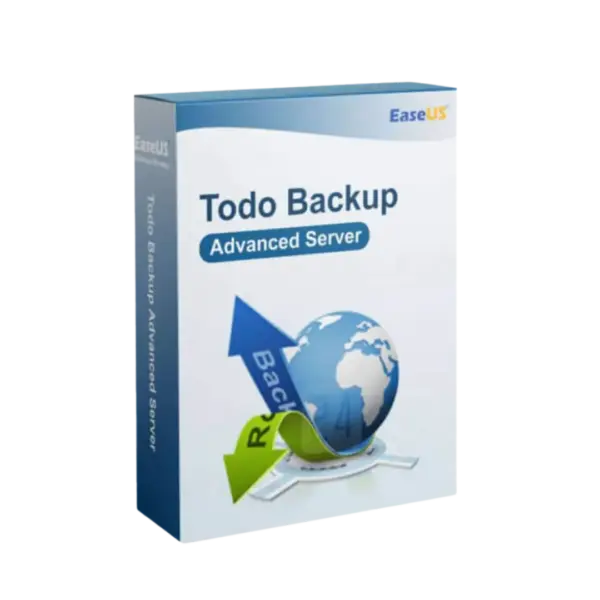












- Description
- Minimum Requirements
- Specifications
- Additional information
- Reviews
EaseUS Todo Backup Advanced Server is a powerful Windows Server backup solution for professional business environments. It supports instant digital delivery, lifetime usage options, and no subscription for lifetime purchases.
Designed for IT teams, server administrators, and businesses, this advanced server backup software helps protect critical data, systems, and workloads with reliable backup and recovery tools.
Overview of EaseUS Todo Backup Advanced Server
- Platform: Windows Server
- Edition: Advanced
- Devices: 1 Device
- License Duration: 1 Year / 2 Years / Lifetime
- Activation Method: Online activation
- Delivery: Instant digital delivery via email
- Support: Email and remote assistance
- Language Support: Multi-language
- Compliance: Genuine software licenses sourced through compliant distribution channels in line with EU laws (EU Directive 2009/24/EC) and industry standards.
Key Features
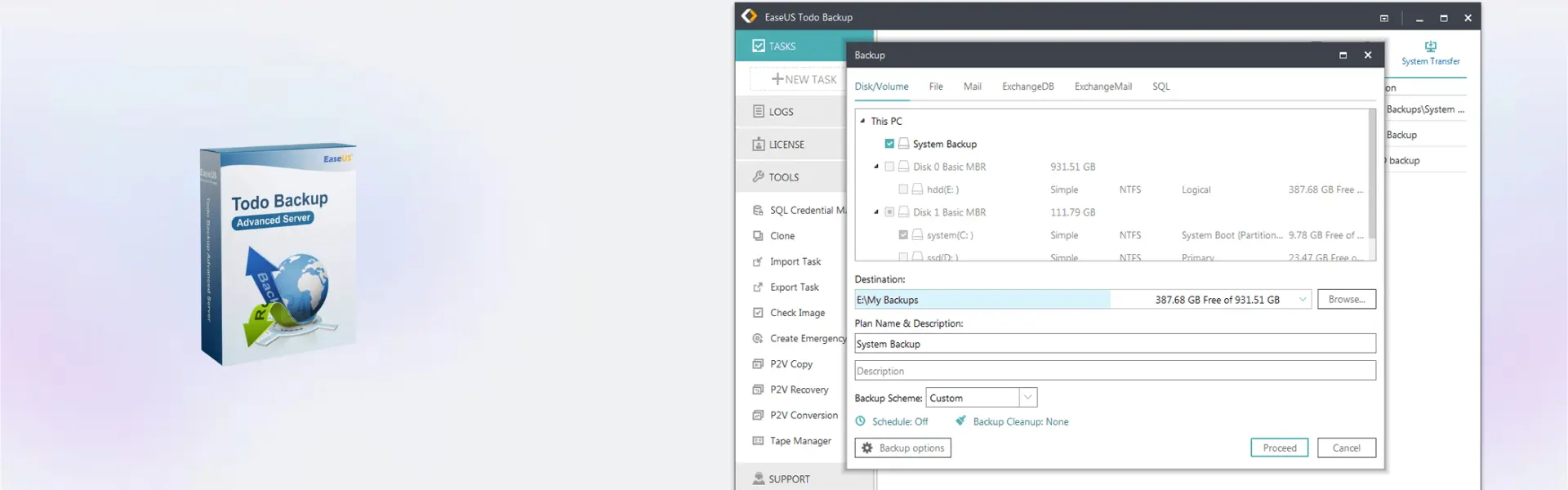
- Full server backup: Protects complete systems, helping restore operations quickly after data loss, corruption, or hardware failure.
- Advanced recovery tools: Recover files, partitions, or full systems to reduce downtime during critical incidents.
- Automated backup scheduling: Set regular backup tasks and keep important server data protected without manual effort.
- Disk and partition backup: Secure selected drives or volumes for more precise server data protection.
- System migration support: Move server environments more efficiently during upgrades or hardware replacement.
- Business continuity protection: Helps companies maintain access to important workloads when unexpected issues occur.
- Instant digital delivery: Receive fast email delivery after purchase and start installation without delay.
Main Features Explained
Server System Backup
Server system backup creates a protected copy of your Windows Server operating system and essential configuration. This matters because a complete recovery option can help restore service faster after system failure.
File and Folder Recovery
File recovery lets you restore selected files or folders without recovering the entire server. This is useful when only specific business documents, databases, or project files are affected.
Disk and Partition Protection
Disk backup and partition backup help protect structured server storage. As a result, administrators get more control over backup planning and recovery tasks.
Scheduled Backup Automation
Automated backup scheduling reduces manual work and helps prevent missed backups. Therefore, businesses can keep their protection routine more consistent.
Why Choose EaseUS Todo Backup Advanced Server?
EaseUS Todo Backup Advanced Server is ideal for small businesses, IT professionals, agencies, and organizations that rely on Windows Server systems. It helps protect business continuity, reduce recovery time, and secure important workloads.
For more backup and recovery software, explore our backup data recovery software category. You can also compare it with EaseUS Backup Center for Advanced Server if you need centralized management for multiple server backup tasks.
If you need a related server backup option, EaseUS Todo Backup Server may suit smaller server environments. For server disk management, EaseUS Partition Master Server is also relevant.
EaseUS Todo Backup Advanced Server vs Alternatives
Compared with EaseUS Todo Backup Server, the Advanced Server edition is better suited for more demanding professional server environments. It offers stronger value for users who need advanced backup protection and reliable recovery planning.
EaseUS Backup Center for Advanced Server is different because it focuses on centralized backup management. Choose it when you manage multiple machines or need broader administrative control.
System Compatibility
This product is designed for Windows Server systems. Before purchase, make sure your server meets the software requirements and has a stable internet connection for online activation.
License Type Explanation
This product is supplied for 1 device and can be selected for 1 Year, 2 Years, or Lifetime usage depending on the option purchased. The lifetime option is a one-time purchase with no subscription renewal.
Transferability depends on the product activation terms. Once activated, the software is intended for use on the assigned device.
Installation & Activation
- Complete your order and receive instant digital delivery by email.
- Download the official software installer.
- Install the program on your Windows Server device.
- Open the software and start online activation.
- Enter the activation details provided by email.
- Configure your first server backup plan and start protecting your data.
Why Buy From Us
Digital License provides secure, professional software purchasing for business and personal users. We focus on genuine licenses, fast delivery, clear support, and compliant software sourcing.
- Genuine software licenses
- Secure online payment
- Instant digital delivery via email
- Email and remote assistance
- Compliance with EU laws (EU Directive 2009/24/EC) and industry standards
Trust Section
Buy with confidence from Digital License. Every order is handled securely, delivered quickly, and supported by our customer assistance team.
FAQ
How do I receive EaseUS Todo Backup Advanced Server?
You receive instant digital delivery by email after purchase.
How is the product activated?
Activation is completed through online activation using the details provided after purchase.
Is EaseUS Todo Backup Advanced Server compatible with Windows Server?
Yes, this product is designed for Windows Server environments.
Can I use it on more than one device?
No, this product is for 1 device.
Does the lifetime option require a subscription?
No, the lifetime option is a one-time purchase with no subscription renewal.
Can I transfer the activation to another device?
Transferability depends on the product activation terms. It is intended for the assigned device after activation.
Is this product legal in the EU?
Yes, licenses are sourced through compliant distribution channels in line with EU Directive 2009/24/EC and industry standards.
Do you provide support?
Yes, email and remote assistance are available.
| Component | Requirement |
| Processor | x86 or x64 compatible CPU, 1 GHz or faster |
| RAM | 1 GB minimum (2 GB or more recommended) |
| Storage | At least 1 GB of free disk space for installation |
| Operating System | Windows Server 2012 / 2016 / 2019 / 2022 |
| File System | FAT16/32, NTFS, EXT2/EXT3 supported |
| Network | Ethernet adapter required for network backup and PXE boot |
| Graphics card | Standard VGA compatible graphics |
| Display | 1024 × 768 resolution or higher |
| Specification | Detail |
|---|---|
| Activation | Single Device License (1 PC) |
| License validity | 1 Year / 2 Years / Lifetime (one-time purchase) |
| Delivery method | By email within 5–15 minutes |
| Languages | Multilingual |
Additional information
| Subscription period | 1 Year, 2 Years, Lifetime |
|---|

1 – Buy
Shop securely with SSL encryption.

2 – Receive
You will receive the license key and download link.

3 – Download
Download and install the software.

4 – Activate
Enter the license key to the software.
Parallels Desktop 20 Pro Edition Mac

Nuance Dragon NaturallySpeaking Premium 13
