






































- Description
- Minimum Requirements
- Specifications
- Additional information
- Reviews
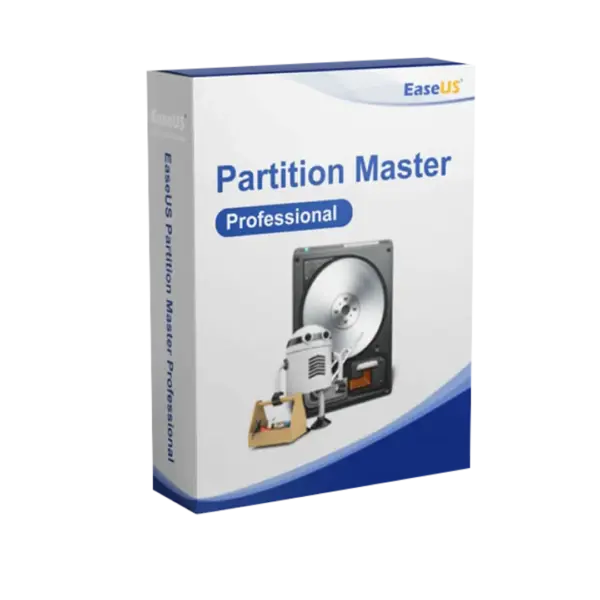
EaseUS Partition Master Professional is a powerful disk management solution for Windows users who need to resize, organize, optimize, and manage storage with confidence. You get instant digital delivery, flexible duration options including lifetime usage, and no subscription when you choose the lifetime plan.
It is ideal for home users, professionals, and small business users who want a secure, efficient, and easy way to manage partitions, improve disk performance, and prepare drives for upgrades.
Overview of EaseUS Partition Master Professional
- Platform: Windows
- Edition: Professional
- Devices: 1 Device
- License Duration: 1 Month/ 1 Year/ Lifetime
- Activation Method: Online activation
- Delivery: Instant digital delivery via email
- Support: Email and remote assistance
- Language Support: Multi-language
- Compliance: Genuine software licenses sourced through compliant distribution channels in line with EU laws (EU Directive 2009/24/EC) and industry standards.
Key Features
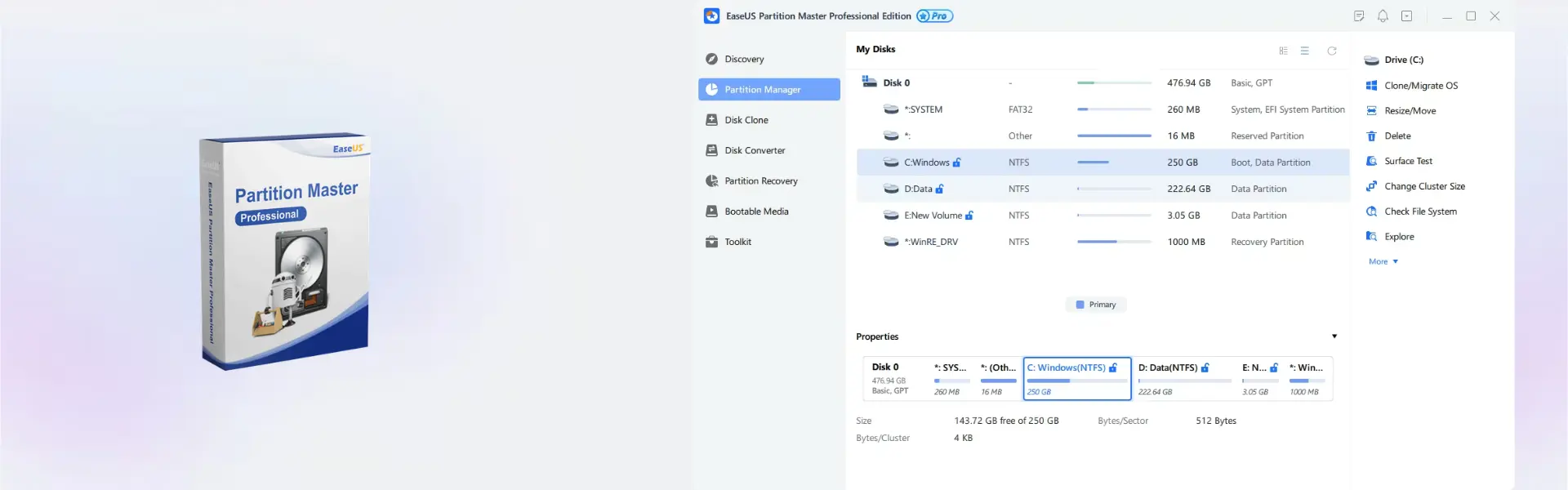
- Partition resizing and moving: Adjust partition size without starting from scratch, helping you use available disk space more efficiently.
- Disk and partition management: Create, delete, format, merge, and organize partitions with clear controls, making storage maintenance easier for everyday users.
- System migration support: Move your operating system to another drive, which is useful when upgrading from an HDD to a faster SSD.
- Disk cloning assistance: Copy disk data for upgrades or replacements, reducing the time needed to prepare a new drive.
- Storage optimization tools: Improve disk structure and available space, helping your Windows system run more smoothly.
- File system conversion: Convert supported file systems when needed, giving you more flexibility when managing drives and partitions.
- Flexible duration options: Choose 1 month, 1 year, or lifetime access depending on your project, budget, and long-term storage needs.
Main Features Explained
Partition Resize and Move
Partition resizing lets you expand or shrink disk partitions when storage space is unevenly distributed. This matters because it helps you avoid wasted space and keeps your Windows drive better organized.
OS Migration
OS migration helps move your Windows system to another drive, such as an SSD. It is important when upgrading hardware because it can reduce setup time and help keep your existing system environment.
Disk Cloning
Disk cloning copies data from one drive to another. This is useful for drive replacement, storage upgrades, or preparing a new disk without manually moving every file.
Partition Management
Partition management gives you tools to create, format, merge, and organize partitions. It matters because clear disk structure makes storage easier to maintain and reduces confusion when managing multiple drives.
Why Choose EaseUS Partition Master Professional?
EaseUS Partition Master Professional is designed for users who want more control over their Windows storage without complex manual processes. It is useful for resizing partitions, upgrading to SSDs, organizing drives, and preparing systems for better performance.
It is a smart choice for home users, professionals, and small business users who want dependable disk tools with a simple workflow. For related solutions, you can explore our backup and data recovery software category.
Compared with EaseUS Partition Master Server, the Professional edition is better suited for individual Windows users and standard workstation needs. The Server edition is more appropriate for server environments and business infrastructure.
EaseUS Partition Master Professional vs Alternatives
EaseUS Partition Master Professional is focused on personal and professional Windows disk management for one device. It is ideal when you need practical tools for resizing partitions, migrating systems, cloning disks, and organizing storage.
If your priority is full drive copying for replacement or duplication, EaseUS Disk Copy Pro may be a useful alternative. It focuses more directly on disk cloning, while EaseUS Partition Master Professional offers broader partition and storage management tools.
If your main goal is protecting files and systems from data loss, EaseUS Todo Backup Home can be a strong companion product. It focuses on backup and recovery, while EaseUS Partition Master Professional focuses on disk structure, partition control, and storage optimization.
System Compatibility
EaseUS Partition Master Professional is built for Windows systems and is intended for use on 1 device. Before installation, make sure your computer has enough available storage, a stable system environment, and administrator access for disk-level operations.
For best results, close unnecessary applications before making partition changes. It is also recommended to back up important files before resizing, formatting, cloning, or migrating drives.
License Type Explanation
This product is provided for 1 Device with duration options of 1 Month, 1 Year, or Lifetime. This gives you flexibility to choose a short-term option for a single project or a lifetime option for long-term disk management.
The lifetime option is a one-time purchase for long-term use without recurring subscription payments. The monthly and yearly options are practical when you only need the software for a specific period.
Transferability depends on the product terms and activation conditions. For the smoothest experience, activate the software on the Windows device where you plan to use it.
Installation & Activation
- Complete your order through the secure checkout process.
- Receive your instant digital delivery by email.
- Download and install EaseUS Partition Master Professional on your Windows device.
- Open the software and enter the activation details provided after purchase.
- Activate online and confirm that the Professional features are available.
- Contact our support team if you need help with installation or activation.
Why Buy From Us
At Digital License, you receive a fast, secure, and professional buying experience. We provide genuine software licenses, clear delivery, and support for installation and activation.
- Genuine licenses: Sourced through compliant distribution channels.
- Secure payment: A protected checkout process for safe online purchasing.
- Instant digital delivery: Product details are sent directly by email.
- Support included: Email and remote assistance are available when needed.
- EU compliance: In line with EU Directive 2009/24/EC and industry standards.
Trust and Compliance
Digital License focuses on delivering genuine software licenses through compliant distribution channels. Our process supports secure purchasing, reliable activation, and compliance with applicable EU laws and industry standards.
Frequently Asked Questions
How is EaseUS Partition Master Professional delivered?
The product is delivered digitally by email after purchase, so you can start installation without waiting for physical shipping.
How do I activate EaseUS Partition Master Professional?
Activation is completed online using the activation details provided after purchase. Internet access is required during activation.
Is EaseUS Partition Master Professional compatible with Windows?
Yes. The product is designed for Windows systems and is suitable for partition management, disk optimization, cloning, and migration tasks.
Can I use it on more than one device?
This product is listed for 1 device. It should be activated and used on the device where you plan to manage your disks and partitions.
Can I choose lifetime usage?
Yes. The product offers 1 month, 1 year, and lifetime duration options, allowing you to choose the plan that fits your needs.
Can the product be transferred to another device?
Transferability depends on the product terms and activation conditions. For best results, activate it on the Windows device where you intend to use it.
Is this product legal to buy and use in the EU?
Yes. Digital License provides genuine software licenses sourced through compliant distribution channels in line with EU laws and industry standards.
Should I back up my files before changing partitions?
Yes. It is strongly recommended to back up important files before resizing, formatting, cloning, or migrating drives.
Do you provide support after purchase?
Yes. Email support and remote assistance are available to help with installation and activation.
| Component | Requirement |
| Processor | x86-compatible CPU, 500 MHz or faster |
| RAM | 512 MB minimum (1 GB or more recommended) |
| Storage | At least 100 MB of free disk space for installation (200 MB required for bootable media) |
| Operating System | Windows 10 / 11 (32-bit & 64-bit) |
| Bootable Media | WinPE-based bootable media supported (USB/CD) |
| Graphics card | Standard VGA compatible graphics |
| Display | 800 × 600 resolution or higher |
| Specification | Detail |
|---|---|
| Activation | Single Device License (1 PC) |
| License validity | 1 Year / 2 Years / Lifetime (one-time purchase) |
| Delivery method | By email within 5–15 minutes |
| Languages | Multilingual |
Additional information
| Subscription period | 1 Month, 1 Year, Lifetime |
|---|

1 – Buy
Shop securely with SSL encryption.

2 – Receive
You will receive the license key and download link.

3 – Download
Download and install the software.

4 – Activate
Enter the license key to the software.
Ashampoo 3D CAD Architecture 10
Parallels Desktop 20 Pro Edition Mac
Vmware vCenter Server 8 Standard
