








































- Description
- Minimum Requirements
- Specifications
- Reviews
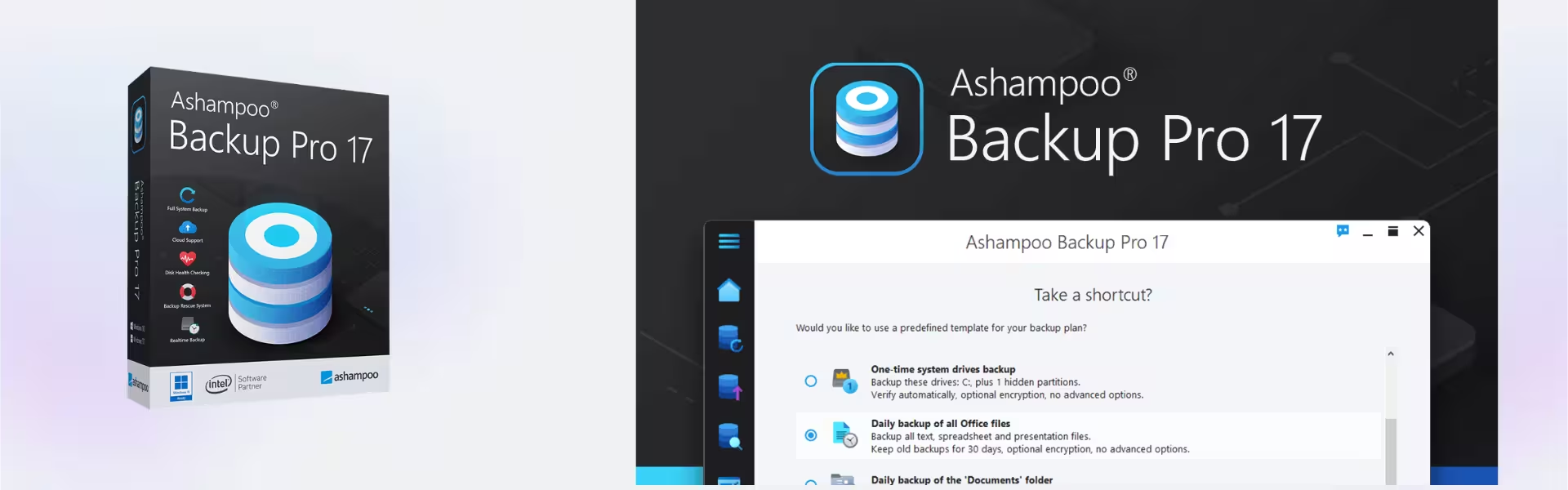
Protect your critical data easily with Ashampoo Backup Pro 17. This automated tool handles your daily file saves perfectly. Meanwhile, it keeps your operating system safe from hardware failures or dangerous virus threats. Therefore, our store guarantees an instant digital delivery straight to your email inbox. You surely receive full lifetime usage after a single one-time purchase, skipping costly monthly subscriptions entirely.
Overview of Ashampoo Backup Pro 17
- Platform: Windows
- Edition: Professional
- License Type: Retail
- Devices: 1 Device
- License Duration: Lifetime
- Activation Method: Online activation
- Delivery: Instant digital delivery via email
- Support: Email and remote assistance
- Language Support: Multi-language
- Compliance: Genuine software licenses sourced through compliant distribution channels in line with EU laws (EU Directive 2009/24/EC) and industry standards.
Key Features
- Smart Background Tasks: The engine tracks system load continuously. Therefore, it copies files only when your PC has plenty of free power. This ensures you never notice any slowdown during your work.
- Simple USB Rescue Tool: Create a fast emergency boot drive on a common flash memory stick. Consequently, this tool restarts a broken computer. It restores your system after critical failures.
- Easy Cloud Storage Integration: Send your save files directly to major online storage providers. Because of this feature, you keep a secure external copy. Your data remains safe from physical damage.
- Strong File Siffror: Lock your personal folders with high-level security codes. This protocol stops strangers from reading your data. Your private documents remain safe and secret.
- Real-Time Drive Checking: The application monitors your hardware health constantly. As a result, you get an early warning before a disk breaks, saving your files in time.
Main Features Explained
Fast Rescue Environment
Serious virus infections or system errors can stop Windows completely. In this bad situation, you cannot open your usual desktop apps. However, this software builds a separate bootable rescue tool on a standard USB drive. This is because the drive starts your computer without using the broken main system. Finally, it drops a clean image back onto your drive. You can return to work within a few minutes.
Intelligent Power Control
Many old backup tools drain your computer power and slow down your web browsing. This modern program instead checks your active work every single second. For example, it pauses its own tasks when you launch a heavy video game or a large photo editor. Afterward, it resumes work when the PC is free. The service works invisibly to keep your device fast.
Proactive Disk Monitoring
Sudden hardware defects on your hard drive can destroy your files forever. This utility includes a smart checking tool to read disk health data. Therefore, it spots upcoming storage problems early. It tells you about errors before they happen. This gives you plenty of time to move your folders to a safe location.
Why Choose Ashampoo Backup Pro 17?
Every computer user risks losing important business files, invoices, or family photos. A sudden system error can ruin your drive on any given day. For that reason, setting up an automatic backup routine is a smart choice. If you want to build a solid defense for your machine, our main shop section for backup data recovery software offers great solutions. It brings together top tools to keep your storage safe.
This automated system removes the fear of digital extortion crimes. When a hacker locks your screen, you simply roll back your computer to a clean state. Do you also manage large, heavy zip folders during your daily tasks? You can organize your workspace by using Ashampoo Zip Pro 4 to shrink your data. The best benefit is true peace of mind without daily stress.
Ashampoo Backup Pro 17 vs Alternatives
This professional edition offers a wonderful balance between low memory use and strong system fixes. Advanced users who need the newest cloud features might want to look at Ashampoo Backup Pro 26. Nevertheless, version 17 remains a highly reliable and cheap option for daily file safety. Do you also want to clean out old system errors from your Windows registry? Pairing this backup plan with Ashampoo WinOptimizer creates the ideal setup.
System Compatibility
This utility works smoothly with the standard Windows ecosystem. For instance, it has full native support for both Windows 10 and Windows 11. A normal computer setup with a basic processor and regular memory is plenty to run the background service. Finally, please keep your internet connection active during the first setup. You need the web to validate your code during online activation.
License Type Explanation
This product comes as a standard Retail license with very simple rules. First, you can install a Retail license only one time on 1 computer. Second, you cannot move it to a different machine later. You cannot reuse the code on a new device. This single purchase gives you lifetime use on that chosen PC. Your access never expires. Remember that formatting the drive removes the license permanently.
Installation & Activation
Set up your new file defense plan by following these easy steps:
- First, open your email inbox to find your unique product code and the official download link.
- Next, download the setup file using the secure web link provided in your message.
- Then, run the installer file on your Windows PC and follow the simple on-screen steps.
- Open the app after the installation finishes to find the blank registration box.
- Finally, enter your original code into the field to complete your online activation.
Why Buy From Us
We sell only genuine digital products. Furthermore, we provide quick order processing and helpful support teams for your absolute safety.
- Genuine Licenses: Our digital codes come entirely from official and lawful distribution networks.
- Instant Delivery: Our system checks your order and sends your code to your email immediately.
- Secure Payments: We guard your financial details using advanced web encryption methods.
- Legal Sales: Our business follows all regional rules, including the valid EU Directive 2009/24/EC.
- Helpful Support: Our team answers your setup questions quickly via email or remote assistance.
FAQ Section
How long does it take to get my product details after payment?
The delivery is instant. As soon as you complete your purchase, our system emails you the code, download links, and a simple setup guide.
Can I move this Retail license to another computer in the future?
No. A Retail license stays with the very first computer where you activate it. It is for 1 device and does not support transfers.
Are there any hidden yearly fees or subscription costs?
No, not at all. This is a one-time purchase. You pay only once to use the software for the lifetime of your PC without extra fees.
What happens to the license if I format my hard drive?
According to the Retail license rules, formatting your computer erases the activation. You cannot use the same code again after a format.
Does this automated backup tool work on Apple Mac or Linux?
No. Engineers built this specific utility only for Windows. It is fully optimized for computers running Windows 10 and Windows 11.
Is it legal to buy digital software codes online?
Yes. Buying and selling genuine digital software licenses is completely legal in Europe under the protection of EU Directive 2009/24/EC.
| Component | Requirement |
| Processor | Dual-core processor or better |
| RAM | 2 GB or more |
| Storage | 500 MB for installation (additional space required for backups) |
| Operating System | Windows 11, Windows 10 (64-bit) |
| Graphics card | No special requirements |
| Display | Minimum resolution of 1024 × 768 |
| Specification | Detail |
|---|---|
| Activation | Single PC (one-time activation) |
| License validity | Lifetime (does not expire after activation) |
| Delivery method | By email within 15 minutes |
| Languages | Multilingual |

1 – Buy
Shop securely with SSL encryption.

2 – Receive
You will receive the license key and download link.

3 – Download
Download and install the software.

4 – Activate
Enter the license key to the software.

Ashampoo 3D CAD Architecture 10

Parallels Desktop 20 Pro Edition Mac



Nuance Dragon NaturallySpeaking Premium 13
