












- Description
- Minimum Requirements
- Specifications
- Reviews
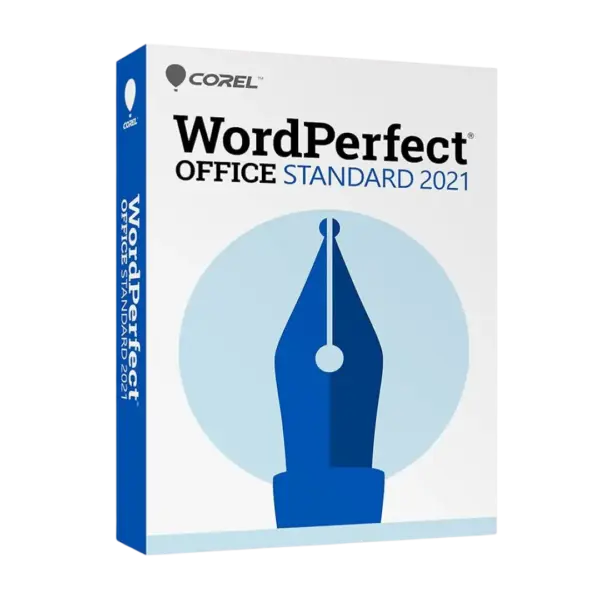
Corel WordPerfect Office Standard 2021 delivers professional tools for creating documents, spreadsheets, presentations, and digital notebooks on Windows. Receive instant delivery, enjoy lifetime usage, and work without a subscription or recurring fees.
Overview of Corel WordPerfect Office Standard 2021
- Platform: Windows
- Edition: Standard
- License Type: Retail
- Devices: 1 Device
- License Duration: Lifetime
- Activation Method: Online activation
- Delivery: Instant digital delivery via email
- Support: Email and remote assistance
- Language Support: Multi-language
- Compliance: Genuine software licenses sourced through compliant distribution channels in line with EU laws (EU Directive 2009/24/EC)
and industry standards.
Key Features
- Professional word processing: Create polished letters, reports, contracts, resumes, and other business documents with precise formatting control.
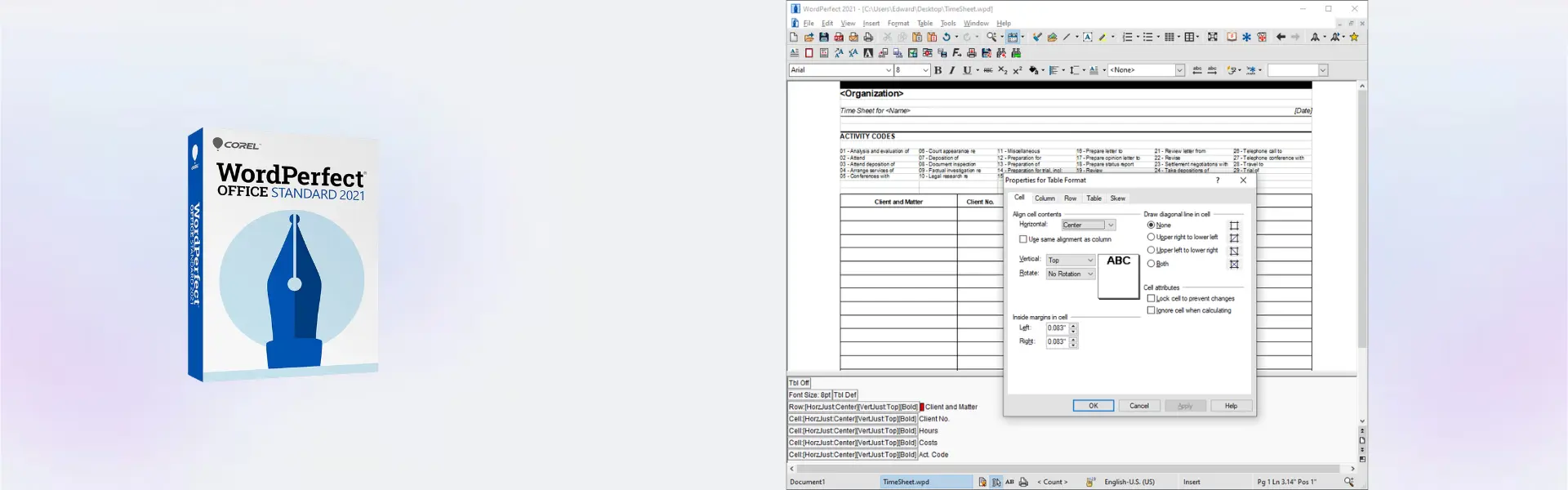
- Reveal Codes functionality: View and manage document formatting codes directly, making complex layout problems easier to identify and correct.
- Integrated spreadsheet tools: Organize data, perform calculations, and prepare clear financial or operational reports using Quattro Pro.
- Presentation creation: Build informative slideshows with text, graphics, charts, and multimedia elements for meetings, training, or education.
- PDF capabilities: Open, edit, publish, and share PDF content without disrupting your everyday document workflow.
- Extensive file compatibility: Work with popular Microsoft Office formats to exchange files more conveniently with customers, colleagues, and partners.
- Built-in productivity resources: Use templates and helpful tools to complete common personal, academic, and professional projects more efficiently.
Main Features Explained
WordPerfect Word Processing
WordPerfect provides a precise document-creation environment for preparing everything from short letters to detailed business reports. Its advanced formatting controls help users maintain consistent layouts while retaining greater control over document structure.
Reveal Codes
Reveal Codes displays the formatting instructions applied throughout a document. This feature matters when users need to find hidden formatting, resolve layout inconsistencies, or make detailed adjustments without rebuilding the entire file.
Quattro Pro Spreadsheets
Quattro Pro helps users manage figures, formulas, tables, and charts in one practical workspace. It is especially valuable for data analysis, household budgeting, financial reporting, inventory tracking, and routine business calculations.
Presentations
The included presentation application allows users to communicate ideas through structured slides, graphics, charts, and multimedia. It supports professional meetings, classroom activities, project proposals, and internal training materials.
PDF Workflow
Integrated PDF tools simplify document distribution and help preserve layouts when files are shared. Users who require more specialized PDF functionality can also compare the suite with Corel PDF Fusion.
Why Choose Corel WordPerfect Office Standard 2021?
Corel WordPerfect Office Standard 2021 is a practical choice for home users, students, educators, independent professionals, and small businesses that want a complete office suite without ongoing subscription costs. It supports everyday document preparation as well as more detailed tasks such as legal formatting, data organization, presentations, and PDF creation.
The suite is particularly useful for users who appreciate detailed formatting control and want a dependable alternative to subscription-based office applications. Its familiar desktop environment lets you keep essential productivity tools available on one Windows computer through a single purchase.
Explore other Corel software solutions to find additional applications for document management, design, graphics, and professional creative work.
Corel WordPerfect Office Standard 2021 vs Alternatives
Corel WordPerfect Office Standard 2021 focuses on office productivity, including word processing, spreadsheets, presentations, and PDF workflows. By comparison, CorelDRAW 2021 Standard is designed primarily for graphic design, illustration, and image-editing projects rather than document-based office work.
Users who require more specialized technical illustration and visual communication capabilities may consider CorelDRAW Technical Suite. WordPerfect Office is the more appropriate option when the main priority is preparing business documents, managing spreadsheets, building presentations, and handling common PDF tasks.
System Compatibility
This edition is developed for compatible Windows computers. Before purchasing, confirm that your device runs a supported Windows version and has sufficient storage, memory, and processing capacity for the applications you intend to use. It is not intended for macOS, Linux, Android, or iOS.
Installing pending Windows updates and removing incompatible or older software versions can help prevent installation conflicts. Administrator access and an internet connection may be required during setup and online activation.
Retail License Explained
This Retail license is intended for a single installation on one computer. It cannot be transferred to another device or activated again after its permitted installation has been used. Once successfully activated, the software provides lifetime usage on that computer with no subscription renewal.
If the software is uninstalled or the computer is formatted, the activation is lost and cannot be reused. The license is therefore best installed on the final device on which you intend to use the product permanently.
Installation and Activation
- Complete your purchase using an active and correctly entered email address.
- Check your inbox for the digital delivery message and installation information.
- Download the software using the instructions included with your order.
- Run the installer on the Windows computer where the suite will remain installed.
- Enter the supplied activation information when requested and complete online activation.
- Open the applications and confirm that the product shows as successfully activated.
Why Buy from Digital License?
Digital License offers a secure purchasing experience supported by fast digital fulfilment and professional assistance throughout installation and activation.
- Genuine software licenses sourced through compliant distribution channels.
- Secure payment processing for safer online transactions.
- Email and remote assistance when installation or activation support is required.
- Immediate digital delivery without physical shipping delays.
- Compliance with EU laws, including EU Directive 2009/24/EC, and industry standards.
Trusted Software Shopping
Purchase with confidence from a specialist software retailer committed to reliable digital delivery, clear product information, compliant sourcing, and responsive customer support. Every order is processed digitally so you can begin installing your software without waiting for physical media.
Frequently Asked Questions
What is included with Corel WordPerfect Office Standard 2021?
The suite includes applications for word processing, spreadsheets, presentations, digital notebooks, and PDF-related productivity tasks.
How will my order be delivered?
Your order is delivered digitally by email, including the information needed to download, install, and activate the software.
Is this a subscription?
No. This is a one-time purchase that provides lifetime usage on the computer where it is successfully activated.
How many devices can I use?
The product is intended for one installation on one Windows device.
Can I transfer the product to another computer?
No. The Retail activation is non-transferable and cannot be used again on another computer after installation.
Can I reactivate it after formatting my computer?
No. Formatting the device or uninstalling the software causes the activation to be lost, and it cannot be reused.
Is Corel WordPerfect Office Standard 2021 compatible with macOS?
No. This edition is designed for Windows and should not be purchased for a Mac, Linux computer, tablet, or mobile device.
Does activation require an internet connection?
Yes. An internet connection is required to complete online activation and may also be needed to download the installation files.
Is purchasing this software legal?
Yes. The software license is sourced through compliant distribution channels in accordance with EU laws, including EU Directive 2009/24/EC, and applicable industry standards.
Can I receive assistance with installation?
Yes. Email and remote assistance are available if you experience difficulties while installing or activating the product.
| Component | Requirement |
| Processor | 1 GHz or faster 64-bit processor |
| RAM | 2 GB minimum; 4 GB or more recommended |
| Storage | At least 2.75 GB of available disk space |
| Operating System | Windows 10 or Windows 11 (64-bit) |
| Display | 1280 × 768 screen resolution or higher |
| Internet | Required for product activation, registration, and updates |
| Specification | Detail |
|---|---|
| Product | Corel WordPerfect Office Standard 2021 |
| Activation | Single PC activation |
| License validity | Lifetime |
| Delivery method | Digital delivery by email within 15 minutes |
| Platform | Windows |
| Supported languages | Multilingual |

1 – Buy
Shop securely with SSL encryption.

2 – Receive
You will receive the license key and download link.

3 – Download
Download and install the software.

4 – Activate
Enter the license key to the software.

Corel Painter Essentials 7 (PC - Mac)