






































- Description
- Minimum Requirements
- Specifications
- Reviews
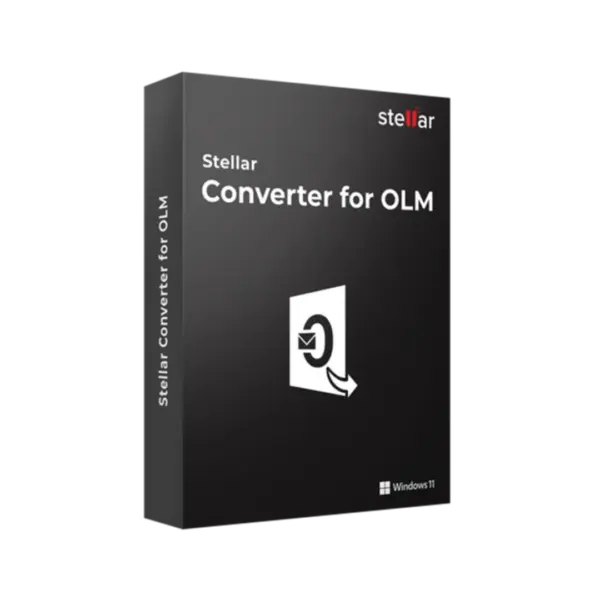
Stellar Converter for OLM Standard is a practical Windows solution for converting Outlook for Mac OLM files into accessible mailbox data. It is designed for users who need a simple, reliable way to recover, view, and reuse important email content from OLM files.
You receive instant digital delivery via email, a clear 1-year usage term, and no monthly subscription. This makes it a strong choice for individual users, small teams, and professionals handling occasional OLM conversion tasks.
Overview of Stellar Converter for OLM Standard
- Platform: Windows
- Edition: Standard
- Devices: 1 Device
- License Duration: 1 Year
- Activation Method: Online activation
- Delivery: Instant digital delivery via email
- Support: Email and remote assistance
- Language Support: Multi-language
- Compliance: Genuine software licenses sourced through compliant distribution channels in line with EU laws (EU Directive 2009/24/EC) and industry standards.
Key Features
- OLM file conversion: Converts Outlook for Mac OLM files into usable mailbox data, helping users access emails and mailbox items outside the original Mac Outlook environment.
- Mailbox data access: Helps retrieve important emails, attachments, contacts, calendars, and other mailbox content, reducing the risk of losing valuable communication records.
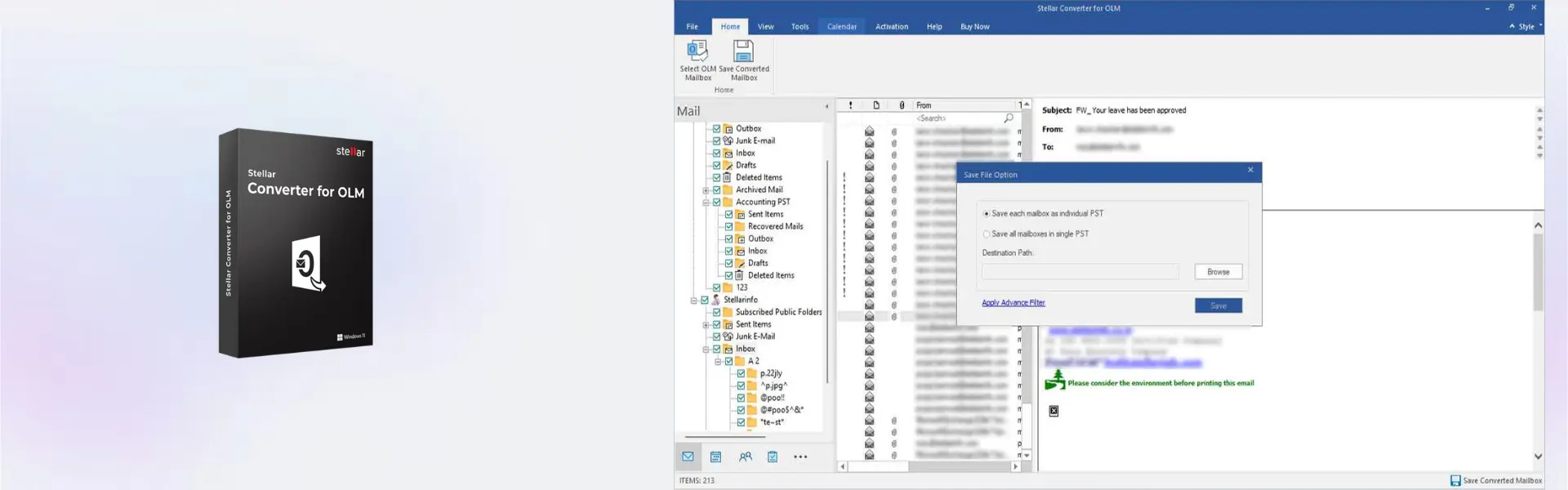
- Preserves folder structure: Keeps mailbox folders and hierarchy organized during conversion, making the converted data easier to review and manage afterward.
- Simple workflow for individual users: Offers a focused conversion process for users who need to handle OLM files without a complex technical setup.
- Useful for migration projects: Supports users moving from Outlook for Mac to another email environment, making mailbox data easier to prepare for transfer.
- Windows-based operation: Allows OLM conversion work to be managed from a Windows device, which is useful when mailbox data must be processed on a PC workstation.
- Efficient conversion control: Helps users handle mailbox data in a structured way, saving time compared with manual copying, forwarding, or incomplete workarounds.
Main Features Explained
OLM File Conversion
OLM file conversion allows users to convert Outlook for Mac mailbox files into accessible data. This is useful when email content needs to be moved, reviewed, or reused outside the original Mac Outlook profile.
It matters because OLM files are not always easy to open on Windows. A dedicated converter helps make mailbox data more practical and usable.
Mailbox Item Extraction
Stellar Converter for OLM Standard helps extract key mailbox items such as emails, attachments, contacts, and calendar entries. This gives users access to the information stored inside the OLM file.
This matters when a mailbox contains business records, client messages, project communication, or personal email history. Keeping that data accessible helps prevent disruption.
Folder Structure Preservation
The software helps maintain the original mailbox folder structure during conversion. This keeps email data organized in a familiar layout.
This matters because a clear structure reduces the time needed to sort converted data. It also makes it easier to locate specific emails after conversion.
Migration Support
Stellar Converter for OLM Standard supports migration scenarios where Outlook for Mac data must be prepared for use in another environment. It helps users move from one email setup to another with less manual effort.
This matters because email migration can become complicated when mailbox data is locked inside a specific file format. Conversion gives users more flexibility.
Standard User Workflow
The Standard edition is designed for straightforward OLM conversion needs. It is suitable for users who want a focused tool without technician-level complexity.
This matters for individuals and small teams that need reliable conversion without advanced service-provider requirements.
Why Choose Stellar Converter for OLM Standard?
Stellar Converter for OLM Standard is ideal for users who need to convert Outlook for Mac OLM files on a Windows device. It is useful for email migration, mailbox access, data recovery preparation, and personal or business archive management.
The software is especially helpful when switching devices, moving away from Mac Outlook, or accessing old mailbox files. It gives users a cleaner way to convert important email data without relying on incomplete manual methods.
If you need dependable backup and data recovery software, this product fits well into workflows where mailbox data must be accessed, converted, or prepared for reuse. It helps make OLM email content more manageable and easier to work with.
Compared with Stellar Converter for OLM Technician, the Standard edition is better suited for simpler individual conversion needs. The Technician edition is more appropriate for IT professionals, support teams, and users handling more advanced or repeated conversion projects.
If your main challenge involves damaged Outlook data rather than OLM conversion, Stellar Repair for Outlook Technician may be more relevant. For broader Outlook repair scenarios, Stellar Repair for Outlook Toolkit can be considered.
Stellar Converter for OLM Standard vs Alternatives
Stellar Converter for OLM Standard is a better choice than basic manual workarounds when you need structured access to Outlook for Mac mailbox data. It is built for users who want a clean conversion process without unnecessary complexity.
Compared with the Technician edition, the Standard edition is more suitable for individual users and smaller conversion tasks. Technician is better for service providers, IT teams, and users who need a stronger workflow for professional conversion projects.
Compared with Outlook repair tools, this product focuses on OLM conversion rather than repairing corrupted Outlook files. Choosing the right tool depends on whether your goal is conversion, repair, or broader recovery work.
Free or limited tools may work for very small tasks, but they often lack the reliability, structure, and support needed for important mailbox data. A dedicated converter helps reduce risk and saves time.
System Compatibility
Stellar Converter for OLM Standard is designed for Windows and is intended for use on 1 Device. It is suitable for users who need to process Outlook for Mac OLM files from a Windows-based computer.
Before installation, make sure your device has enough storage space for both the application and the converted mailbox data. A stable internet connection is also required for online activation.
For best results, install the software on the Windows device where you plan to manage your OLM conversion workflow. This helps keep source files and converted data organized in one place.
License Type Explanation
The license type for this product is not listed as Retail, Bind, or LTSC. Based on the provided product details, it is supplied for 1 Device with a 1 Year duration.
This means the product is intended for use on one device during the active 1-year term. It is not presented as lifetime usage, so users should plan around the stated license duration.
Transferability is not specified in the provided details. For that reason, it is best to install and activate the product on the correct Windows device from the start.
This is a fixed-term software purchase with online activation and instant digital delivery. It does not require a monthly subscription.
Installation & Activation
- Complete your order and receive the digital delivery by email.
- Download the installation file using the instructions provided after purchase.
- Run the installer on your Windows device.
- Follow the installation steps shown on screen.
- Activate the software online when prompted.
- Contact support if you need help with installation or activation.
Why Buy From Us
Digital License provides a secure and professional purchasing experience for software users. You receive fast digital delivery, support when needed, and software sourced through compliant distribution channels.
- Genuine licenses: Products are sourced through compliant distribution channels.
- Secure payment: The checkout process is protected and straightforward.
- Instant delivery: Digital delivery is provided via email after purchase.
- Support included: Email and remote assistance are available when needed.
- EU compliance: In line with EU laws, including EU Directive 2009/24/EC, and industry standards.
Trust Section
Email data often contains valuable business records, client conversations, and important attachments. Digital License helps users access the software they need through secure payment, clear digital delivery, and responsive support.
Because the product is delivered digitally, you can begin installation without waiting for physical shipping. This is especially useful when OLM conversion is needed for migration, recovery preparation, or urgent mailbox access.
Frequently Asked Questions
Can Stellar Converter for OLM Standard convert Outlook for Mac OLM files on Windows?
Yes, the software is designed for Windows and helps convert Outlook for Mac OLM files into accessible mailbox data.
Is Stellar Converter for OLM Standard suitable for individual users?
Yes, the Standard edition is a practical choice for individuals and small teams that need a focused OLM conversion tool without technician-level complexity.
Does the software preserve mailbox folders during conversion?
Yes, it helps maintain the original folder structure so converted mailbox data remains easier to review, organize, and use after export.
How is Stellar Converter for OLM Standard delivered?
The product is delivered digitally via email, allowing you to download, install, and activate it without waiting for physical shipping.
Does Stellar Converter for OLM Standard require online activation?
Yes, online activation is required. A stable internet connection is needed during the activation process.
Can I use Stellar Converter for OLM Standard for Outlook repair?
This product is focused on OLM conversion. If your main issue is damaged Outlook data, a Stellar Repair for Outlook product may be more appropriate.
Does Stellar Converter for OLM Standard include lifetime usage?
No, the provided license duration is 1 Year. The product is intended for use during the stated term.
Is the purchase compliant with EU laws?
Yes, the software is sourced through compliant distribution channels in line with EU laws, including EU Directive 2009/24/EC, and industry standards.
| Component | Requirement |
| Operating System | Windows 11 / 10 / 8.1 |
| Processor | Intel compatible processor (x86, x64) |
| RAM | 4 GB minimum (8 GB recommended for large OLM files) |
| Disk Space | Sufficient space for installation and generated PST files |
| Microsoft Outlook for Windows | Outlook 2007, 2010, 2013, 2016, 2019, 2021, Microsoft 365 (32-bit and 64-bit) |
| Outlook for Mac Supported | Outlook for Mac 2011, 2016, 2019, 2021 (OLM source files) |
| Internet Connection | Required for activation and updates |
| Specification | Detail |
|---|---|
| Product | Stellar Converter for OLM Standard |
| Activation | 1 Windows PC |
| License validity | 1 Year |
| Features | Convert OLM files and recover emails, contacts, calendars, attachments |
| Export Options | PST and MSG |
| Supported Outlook | Outlook 2007–2021 and Microsoft 365 |
| Delivery method | By email within 15 minutes |
| Languages | Multilingual |

1 – Buy
Shop securely with SSL encryption.

2 – Receive
You will receive the license key and download link.

3 – Download
Download and install the software.

4 – Activate
Enter the license key to the software.
Ashampoo 3D CAD Professional 10

Nuance Dragon NaturallySpeaking Premium 13
