











- Description
- Minimum Requirements
- Specifications
- Reviews
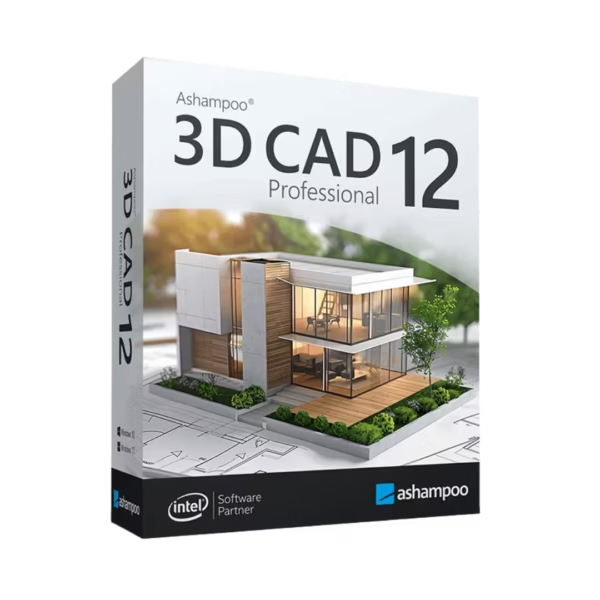
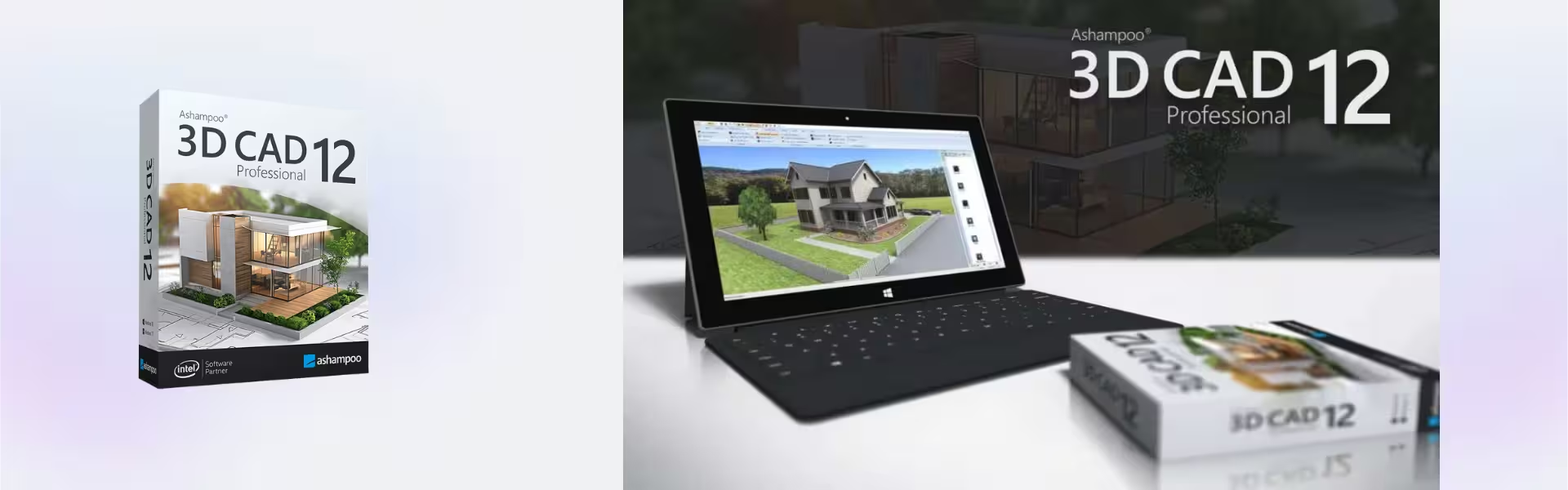
Ashampoo 3D CAD Professional 12 is an advanced CAD solution for architectural planning, building design, and professional 3D visualization. It includes instant digital delivery, lifetime usage, and no subscription, so you can start your design workflow quickly after purchase.
Overview of Ashampoo 3D CAD Professional 12
- Platform: Windows 10/ 11
- Edition: Professional
- License Type: Retail
- Devices: 1 Device
- License Duration: Lifetime
- Activation Method: Online activation
- Delivery: Instant digital delivery via email
- Support: Email and remote assistance
- Language Support: Multi-language
- Compliance: Genuine software licenses sourced through compliant distribution channels in line with EU laws (EU Directive 2009/24/EC) and industry standards.
Key Features
- Professional 2D and 3D CAD design: Create detailed plans and realistic models, helping you move from concept to presentation with confidence.
- Advanced architectural planning: Design buildings, rooms, roofs, and structural elements with accuracy for clearer construction layouts.
- Realistic 3D visualization: Preview interiors and exteriors before building, so design decisions become easier and more informed.
- Precise construction tools: Work with measurement-based planning features that support reliable project documentation.
- Interior and exterior design support: Plan full building concepts, from room layouts to outdoor areas, in one workflow.
- Professional project output: Prepare polished designs and visual presentations for clients, teams, or personal projects.
- Lifetime usage: Use the software after activation without monthly or yearly subscription costs.
Main Features Explained
2D Construction Planning
This feature helps you create accurate floor plans, layouts, and building drawings. It matters because clear 2D planning is the foundation for reliable architectural projects.
3D Building Visualization
Ashampoo 3D CAD Professional 12 lets you view your project in 3D. As a result, you can check proportions, materials, and design flow before final decisions are made.
Professional Architectural Tools
You can work with walls, roofs, doors, windows, stairs, and other construction elements. Therefore, complex building concepts become easier to design and manage.
Project Presentation
The software helps turn technical plans into visual presentations. This is useful when sharing ideas with clients, contractors, or project partners.
Why Choose Ashampoo 3D CAD Professional 12?
Ashampoo 3D CAD Professional 12 is built for users who need more than basic home design software. It is a strong choice for architects, planners, designers, builders, renovation users, and advanced home project creators who want accurate CAD control and realistic 3D results.
If you are comparing tools for design, construction, or engineering workflows, explore our CAD and engineering software licenses category for more professional solutions. For users considering BIM-focused architecture software, Graphisoft Archicad 29 is a useful comparison for advanced architectural modeling and project coordination.
For larger construction and infrastructure workflows, Autodesk Revit may suit BIM-based building design, while Autodesk Civil 3D is more focused on civil engineering and infrastructure planning.
Ashampoo 3D CAD Professional 12 vs Alternatives
Compared with basic architecture software, Ashampoo 3D CAD Professional 12 gives users stronger CAD tools, better project control, and more professional 3D visualization. It is ideal for users who need serious planning features without relying on a subscription model.
Compared with Graphisoft Archicad 29, Ashampoo 3D CAD Professional 12 is a practical option for users who want powerful architectural design and visualization in a more direct CAD workflow. Archicad is more focused on advanced BIM collaboration, while Ashampoo is well suited for detailed planning, home design, renovation, and professional presentation.
System Compatibility
Ashampoo 3D CAD Professional 12 is compatible with Windows 10 and Windows 11. For the best experience, use a stable Windows device with good graphics performance, enough storage space, and an internet connection for online activation.
License Type Explanation
This product includes a Retail license for one computer. It is a one-time purchase with lifetime usage after activation, and it does not require a subscription.
The license can be installed and activated only once on one device. It cannot be transferred to another computer or used again after uninstalling the software, formatting the device, or changing the activated installation environment.
Installation and Activation
- Complete your order and receive instant digital delivery by email.
- Download the installation file using the instructions provided.
- Run the installer on your Windows 10 or Windows 11 device.
- Follow the setup steps until the installation is complete.
- Open Ashampoo 3D CAD Professional 12 and complete online activation.
- Start creating detailed CAD plans and 3D building designs.
Why Buy From Us?
Digital License provides genuine software licenses with secure payment, instant delivery, and professional support. Our licenses are sourced through compliant distribution channels in line with EU laws and industry standards.
- Genuine software licenses
- Secure payment process
- Instant digital delivery
- Email and remote assistance
- Compliance with EU laws, including EU Directive 2009/24/EC, and industry standards
Trust and Reliability
Digital License is focused on clear product information, reliable delivery, and helpful after-sales support. Therefore, you can purchase with confidence and activate your software smoothly.
FAQ
How do I receive Ashampoo 3D CAD Professional 12?
You receive it through instant digital delivery via email after completing your order.
How is Ashampoo 3D CAD Professional 12 activated?
The software uses online activation, so an internet connection is required during activation.
Is Ashampoo 3D CAD Professional 12 compatible with Windows 11?
Yes. It is compatible with Windows 10 and Windows 11.
Can I use it without a subscription?
Yes. This is a one-time purchase with lifetime usage after activation.
Can I transfer the license to another computer?
No. This Retail license is for one computer only and cannot be transferred to another device.
What happens if I uninstall the software or format my device?
If the software is uninstalled or the device is formatted, the license is lost and cannot be used again.
Is this software legal?
Yes. The license is sourced through compliant distribution channels in line with EU laws, including EU Directive 2009/24/EC, and industry standards.
Is support included?
Yes. Email and remote assistance are included to help with installation and activation.
| Component | Requirement |
| Processor | Dual-core processor with at least 2.0 GHz |
| RAM | 4 GB or more |
| Storage | 5 GB of available disk space |
| Operating System | Windows 10 or Windows 11 (64-bit) |
| Graphics card | DirectX 11 compatible graphics card with at least 1 GB VRAM |
| Display | Minimum resolution of 1280 × 800 |
| Specification | Detail |
|---|---|
| Activation | Single PC (one-time activation) |
| License validity | Lifetime (does not expire after activation) |
| Delivery method | By email within 15 minutes |
| Languages | Multilingual |

1 – Buy
Shop securely with SSL encryption.

2 – Receive
You will receive the license key and download link.

3 – Download
Download and install the software.

4 – Activate
Enter the license key to the software.
Parallels Desktop 20 Pro Edition Mac
CorelDRAW Graphics Suite - Mac